How to See Who Screenshotted Your Public Snapchat Story
If you’ve ever posted a public story on Snapchat and wondered who screenshotted it — you’re not alone. It’s one of the most common questions Snapchat users ask, and honestly, the answer is a little more nuanced than a simple yes or no. The truth is: whether you can see who screenshotted your public Snapchat story depends on one very important factor — whether that person is on your friends list or not.
In this guide, we’re going to break down exactly how Snapchat’s screenshot detection works, step-by-step instructions to check who screenshotted your story, the real limitations you need to know about, what happens when non-friends screenshot your public content, and how to better protect your stories going forward. Whether you’re a regular user, a content creator, or just someone trying to understand Snapchat’s privacy system — this covers everything.
How to see who screenshotted your story on snapchat
Does Snapchat Notify You When Someone Screenshots Your Story?
Let’s start with the most important question. Yes — Snapchat does notify you when someone screenshots your story, but only under certain conditions. It doesn’t work the same way for every situation, and a lot of people misunderstand this.
Here’s how the notification system actually breaks down:
For private stories: Snapchat notifies you and shows you exactly who took the screenshot. You’ll see their name with a screenshot icon next to it in your viewer list.
For public stories (friends only): If someone on your friends list screenshots your public story, Snapchat marks them with a screenshot icon and you can see their name.
For public stories (non-friends): This is the big catch. If someone who is not on your friends list views and screenshots your public story, Snapchat does not show you their identity. You may see that a screenshot was taken, but you won’t know who did it.
This limitation was introduced after a 2023 update, and it’s been a source of frustration for many Snapchat users — especially creators with large public audiences. If you’re also exploring other Snapchat features, you can learn more about Snapchat Planets Order and what each planet means.
How to See Who Screenshotted Your Snapchat Story
Even with the limitations above, you can still check screenshot activity from your friends. Here’s exactly how to do it:
Step 1: Open the Snapchat App
Launch Snapchat on your iPhone or Android device and make sure you’re logged into your account.
Step 2: Go to Your Profile
Tap your Bitmoji or profile icon in the top-left corner of the screen. This takes you to your profile page.
Step 3: Find Your Story
Scroll down to the “My Stories” section and tap on the story you want to check. Your story will open and start playing.
Step 4: Swipe Up to See Viewers
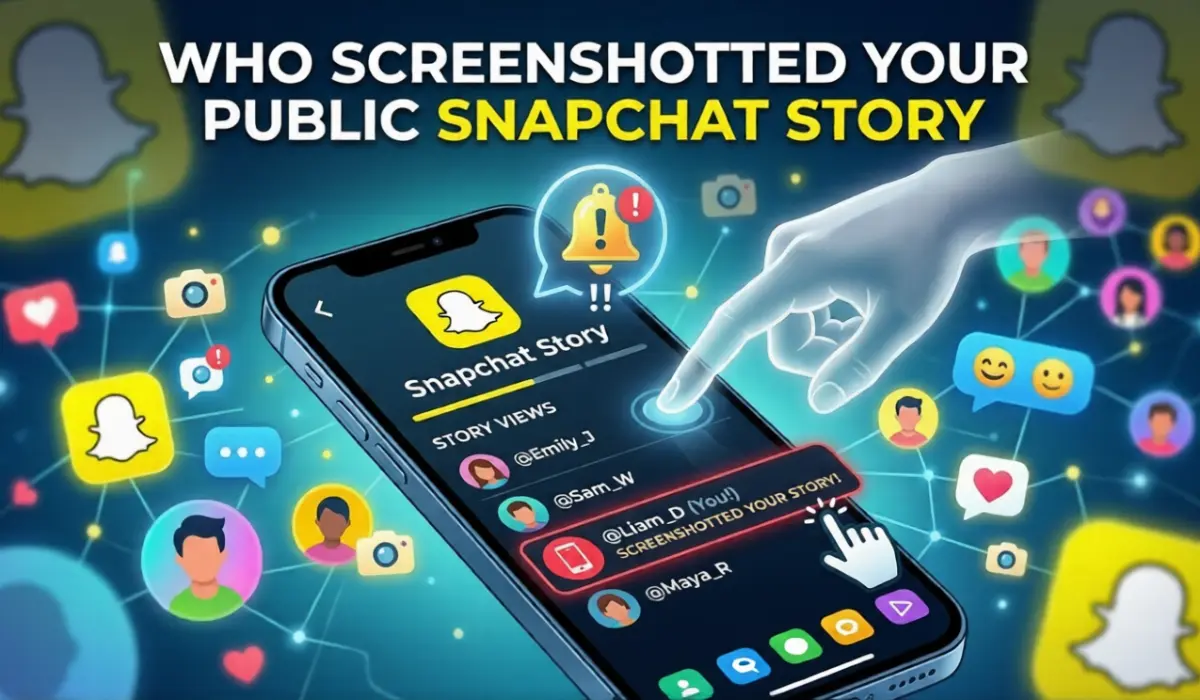
While your story is open, swipe up from the bottom of the screen — or tap the eye icon at the bottom. This pulls up the full viewer list showing everyone who has seen your story.
Step 5: Look for the Screenshot Icon
Scroll through the list of viewers. Next to the names of people who took a screenshot, you’ll see a double-arrow icon (two overlapping arrows). This is Snapchat’s screenshot indicator — it means that person saved your story to their device.
That’s it. Anyone with that double-arrow icon next to their name has screenshotted your story.
Quick note: You can also check timestamps below each person’s name to see approximately when the screenshot was taken. This can be helpful if multiple people saved your content and you want to track the order.
How to See Who Screenshotted Your Public Snapchat Story — The Honest Truth
Here’s where we need to be completely transparent with you, because this is the part most guides gloss over.
If your story is set to public, it can be viewed by anyone on Snapchat — not just your friends. And here’s the reality:
You can only see screenshot notifications from people who are on your friends list.
If someone who isn’t your friend views your public story and takes a screenshot, Snapchat will not show you their name or username. You won’t know who they are. This is by design — Snapchat’s privacy policy limits screenshot visibility to protect the identity of users outside your network.
This means that as a creator with a public profile, a large portion of screenshot activity may be happening completely invisibly to you. People outside your friends list can save your content without you ever knowing their identity.
What Does the Screenshot Icon Look Like on Snapchat?
The Snapchat screenshot icon looks like two overlapping arrows pointing in opposite directions — sometimes described as a double-arrow or a pair of curved arrows forming a circle. It appears as a small icon directly next to the viewer’s name in your story viewer list.
Here’s a quick guide to the icons you’ll see when you swipe up on your story:
| Icon | What It Means |
| Eye icon | Person viewed your story |
| Double-arrow icon | Person screenshotted your story |
| Replay icon | Person rewatched your story (Snapchat+ only) |
If you don’t see the screenshot icon next to someone’s name, they watched your story without taking a screenshot.
Can You See Who Screenshotted Your Story After It Expires?
No — and this is one of the most important limitations to understand. Snapchat stories disappear after 24 hours, and when they do, all screenshot and viewer data goes with them.
Once your story has expired, you cannot go back and check who viewed it, who screenshotted it, or any other interaction data. The information is permanently gone. Snapchat doesn’t archive this data anywhere you can access after the story’s active window closes.
This means if you want to check screenshot activity, you need to do it while your story is still live — within that 24-hour window after posting.
Why Can’t You See Who Screenshotted Your Public Snapchat Story?
If you’re seeing screenshot activity has occurred but can’t identify the person, there are a few possible explanations:
Reason 1: The person is not on your friends list The most common reason. Non-friends can view and screenshot public stories without being identified in your viewer list.
Reason 2: Your story has already expired Once the 24-hour window closes, all data disappears. If you’re checking after expiry, there’s nothing left to see.
Reason 3: The screenshot was taken using a method Snapchat can’t detect Some methods of capturing content bypass Snapchat screenshot detection entirely (more on this below).
Reason 4: App glitch or server delay Occasionally, Snapchat’s notification system experiences minor delays or glitches. If you suspect someone screenshotted your story but the icon isn’t showing, try refreshing the app.
Does Snapchat Notify When You Screenshot a Story? (From the Other Side)
Now let’s flip it — what happens if you screenshot someone else’s story? Does Snapchat tell them?
The answer depends on the type of story and the relationship:
Screenshotting a private story: Yes — the person will be notified and your name will appear with a screenshot icon in their viewer list.
public story from a friend: Yes — they will see your name with the screenshot icon.
Screenshotting a public story from someone you don’t follow: They may see that a screenshot was taken, but they won’t be able to see your name or identity. They’ll know it happened, but not who did it.
Screenshotting a direct snap in chat: Yes — Snapchat immediately notifies the sender with a screenshot alert in the chat window.
The golden rule is simple: if you’re friends with someone on Snapchat, assume they will know if you screenshot their content. Privacy only exists for strangers viewing public profiles.
How to Screenshot on Snapchat Without Them Knowing — What Actually Works (And What Doesn’t)
This is a question that gets searched a lot, so let’s address it honestly and clearly. People want to know whether there are ways to screenshot Snapchat content without triggering a notification.
Here are the methods that exist — along with a clear-eyed assessment of each:
Method 1: Using Another Device to Photograph the Screen
The most reliable method. Simply take a photo of your screen using a second phone or camera. Snapchat cannot detect this at all because it’s happening outside the app entirely. There’s no notification sent.
Method 2: Airplane Mode
The old airplane mode trick used to work — you’d open the snap, switch to airplane mode, screenshot, close the app, and clear the cache before reconnecting. However, Snapchat has gotten significantly better at detecting this. When you reconnect to the internet, Snapchat often sends the notification retroactively. This method is unreliable in 2026 and should not be counted on.
Method 3: Screen Recording
Screen recording on iPhone and Android can sometimes bypass screenshot detection, particularly for Stories. However, Snapchat has added screen recording detection in many cases, and the sender may still be notified depending on the content type and app version.
Important note: Using any method to screenshot someone’s private content without their knowledge — especially private snaps or direct messages — is a breach of trust and in many cases a violation of Snapchat’s Terms of Service. It can also have real-world social and even legal consequences depending on what was captured. Use common sense and respect other people’s privacy.
How to Protect Your Public Story from Screenshots
You can’t completely prevent people from screenshotting your Snapchat stories — but you can take steps to limit your exposure and control who can access your content.
Option 1: Switch to a Private Story
Instead of posting to your public story, create a Private Story and choose exactly who can see it. With a private story, you get full screenshot visibility — you’ll see every single person who took a screenshot, by name.
How to create a Private Story: 1. Go to your profile and tap “My Stories” 2. Tap “Private Story” 3. Select the friends you want to include 4. Give your story a name and tap “Create Story”
Option 2: Adjust Your Story Privacy Settings
Go to Settings > Privacy Controls > View My Story and change your audience from “Everyone” to “My Friends” or a Custom list. This limits who can view — and therefore screenshot — your content.
Option 3: Avoid Posting Sensitive Content Publicly
This sounds obvious but it’s worth saying: the safest way to prevent unwanted screenshots of sensitive content is simply not to share that content publicly. If you wouldn’t want a stranger saving it, don’t post it to a public story.
Option 4: Use Snapchat+
Snapchat’s premium subscription — Snapchat+ — gives you access to additional story insights, including a rewatch indicator that shows you who has rewatched your story multiple times. While it doesn’t give you screenshot visibility beyond what’s already available, it does give you a better overall picture of how people are engaging with your content.
Option 5: Block or Remove Suspicious Users
If you see someone in your viewer list who you don’t recognize and aren’t comfortable with, you can remove or block them directly from the viewer list. They won’t be able to view your future stories once blocked.
What to Do If Someone Screenshots Your Story Without Permission
If someone on your friends list has screenshotted something you didn’t want saved, here are your options:
Remove them as a friend: Go to their profile, tap the three-dot menu, select Manage Friendship, and choose Remove Friend. They’ll no longer be able to see your future stories.
Block them: If you want to cut contact entirely, block them. They won’t be able to find your profile or view your content.
Report the content: If the screenshot was used inappropriately — for example, if they shared it somewhere without your permission — you can report it to Snapchat through Settings > Support > Report a Safety Concern.
Contact Snapchat Support: For serious cases involving harassment or misuse of your content, contact Snapchat’s support team directly through the app.
People Also Ask — Snapchat Screenshot FAQs
Q: How do I see who screenshotted my Snapchat story?
Open Snapchat, tap your profile icon, go to My Stories, open the story, and swipe up. Look for the double-arrow icon next to viewers’ names — that indicates they took a screenshot.
Q: Can you see who screenshotted your public Snapchat story?
Only partially. You can see who screenshotted your public story if they are on your friends list. If a non-friend screenshots your public story, Snapchat does not reveal their identity to you.
Q: Does Snapchat notify when you screenshot a story?
Yes, for private stories and public stories from friends. If you screenshot a public story from someone outside your network, they won’t see your name — but they may see that a screenshot was taken.
Q: Does Snapchat tell you when someone screenshots your story?
Yes — Snapchat marks the person’s name with a double-arrow screenshot icon in your story viewer list when someone on your friends list takes a screenshot.
Q: Can you see who screenshotted your story after it expires?
No. Once your Snapchat story expires after 24 hours, all viewer and screenshot data is permanently deleted. You need to check while the story is still active.
Q: How to screenshot Snapchat chat without notification?
The most reliable way is using a second device to photograph the screen, as this happens outside the app and cannot be detected. Airplane mode is unreliable in 2026 as Snapchat often sends notifications retroactively when you reconnect.
Q: How to screenshot on Snapchat without them knowing?
Using a second device to photograph the screen is the only truly undetected method. However, respect for privacy should always come first — screenshotting private content without consent is a breach of trust.
Q: What does the screenshot icon look like on Snapchat?
It looks like two overlapping arrows pointing in opposite directions — sometimes described as a double-arrow or circular arrow icon. It appears next to a viewer’s name in your story viewer list.
Q: Can I turn off screenshot notifications on Snapchat?
No. Snapchat does not allow users to disable screenshot notifications. It’s a core privacy feature of the platform that cannot be turned off.
Q: Why can’t I see who screenshotted my public story?
Most likely because the person who took the screenshot is not on your friends list. Snapchat only reveals screenshot identities for users within your friends network. Non-friends who view public stories can screenshot anonymously.
Q: Does Snapchat notify you when someone screen records your story?
Snapchat has screen recording detection for some content types, but it’s not consistent across all situations. In many cases, screen recordings of stories do trigger a notification similar to screenshots.
Q: Is there any way to prevent people from screenshotting my Snapchat story?
You can’t fully prevent it, but you can reduce the risk by switching to a private story, limiting your story audience in privacy settings, or simply avoiding posting sensitive content publicly.
Conclusion
So — how to see who screenshotted your public Snapchat story? The honest answer is: you can see friends who screenshotted it, but not strangers. Swipe up on your active story and look for the double-arrow screenshot icon next to names in your viewer list. That’s how to see who screenshotted your Snapchat story in real time, while it’s still live.
The key things to remember are: screenshot visibility only applies to your friends, the data disappears when your story expires after 24 hours, and there’s no way to detect screenshots taken using a second device. If privacy is a priority for you, switching to a private story or limiting your story audience in settings gives you far more control.
Understanding how Snapchat’s screenshot notification system works — both as someone checking their own story and as someone viewing others’ content — helps you make smarter, more informed choices about what you share and with whom. And now you have the full picture.