How to Remove Multiple Friends on Snapchat at Once?
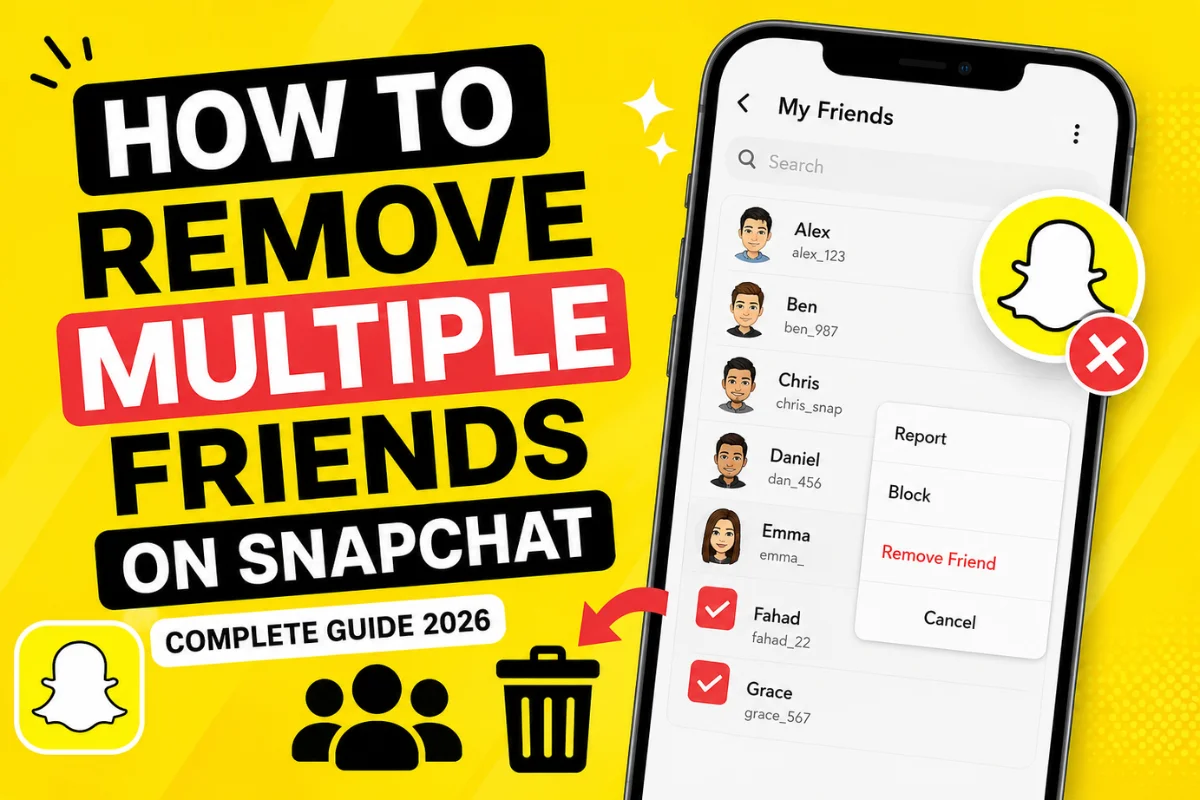
Have a long Snapchat friends list that you want to clean up? Maybe you’ve added people over the years, no longer talk to them, or simply want a more organized account. If you’re wondering how to remove multiple friends on Snapchat at once, you’re not alone.
The short answer is that Snapchat does not currently offer a feature that lets you remove multiple friends simultaneously. You must remove each friend individually. While this may sound frustrating, there are a few ways to make the process quicker and more organized.
This guide explains what Snapchat allows, the fastest way to remove friends, whether third-party tools are safe, and answers the most common questions users search for in 2026.
Can You Unadd Multiple People at Once on Snapchat?
No. As of 2026, Snapchat does not provide an option to unadd or remove multiple people at once.
Unlike some social media platforms that allow users to manage multiple connections at once, Snapchat requires you to remove friends individually. This helps reduce accidental removals and gives you more control over your friend list.
If your goal is to unadd dozens or even hundreds of people, you’ll need to repeat the same process for each person.
Why Do People Want to Remove Multiple Snapchat Friends?
There are several reasons people clean up their friends list.
Some of the most common include:
- Removing inactive friends
- Deleting strangers added years ago
- Improving privacy
- Keeping Best Friends more accurate
- Reducing unwanted Stories
- Organizing a personal or professional account
- Starting fresh with a smaller friends list
Many Snapchat users perform a cleanup every few months to keep their account manageable.
How to Remove Friends on Snapchat
Since Snapchat only supports removing one friend at a time, here’s the quickest method.
Remove a Friend on iPhone or Android
Follow these simple steps:
Step 1: Open Snapchat
Launch the Snapchat app and log into your account.
Step 2: Go to Your Profile
Tap your Bitmoji in the upper-left corner.
Step 3: Open My Friends
Scroll down and tap My Friends.
Step 4: Find the Friend
Locate the person you want to remove.
You can also use the search bar to save time.
Step 5: Open Their Profile
Press and hold their name.
Tap Friendship Settings.
Step 6: Remove Friend
Select Remove Friend.
Confirm your decision.
Repeat these steps for every friend you want to remove.
Faster Way to Remove Many Friends
Although Snapchat doesn’t offer bulk removal, these tips make the process much faster.
Use the Search Bar
Instead of scrolling through hundreds of names, search for each username directly.
This saves significant time.
Remove Friends Alphabetically
Start from A and work your way down.
This helps avoid missing anyone.
Make a List First
Before removing people, decide who you want to keep.
This prevents accidental removals.
Do It in Small Batches
If you’re removing a large number of friends, do 20–30 at a time.
It’s easier to stay organized.
Does Removing Someone Delete Your Chat?
No. Removing a friend does not automatically erase previous conversations.
However, several things change afterward.
When you remove someone:
- They disappear from your friends list.
- They may no longer see private Stories depending on your privacy settings.
- They cannot send certain types of Snaps if your settings only allow friends.
- Previous saved messages may still appear in chat history.
Will Someone Know If You Remove Them?
Snapchat does not send a notification saying you’ve removed them.
However, they may eventually notice because:
- Your private Story disappears.
- They cannot view your location if you previously shared it.
- Messages may show different delivery behavior.
- They notice you’re no longer on their friends list.
So while Snapchat won’t alert them directly, they can figure it out over time.
Remove Friend vs Block Friend
Many users confuse these two options.
Here’s the difference.
| Remove Friend | Block Friend |
| Removes them from your friends list | Completely blocks all interaction |
| They may still find your profile | They cannot contact or find you easily |
| Previous chats may remain | Communication stops completely |
| Can add each other again | Must unblock before adding again |
Choose Remove Friend if you simply want to clean your friends list.
Choose Block if someone is bothering you or making you uncomfortable.
Can You Remove Everyone at Once?
No. There is currently no “Remove All Friends” button on Snapchat.
Even Snapchat+ subscribers do not receive this feature.
If you see websites or apps claiming they can remove all friends instantly, be cautious.
Are Bulk Friend Removal Apps Safe?
No. Many websites advertise tools that promise to remove all Snapchat friends with one click.
Avoid these services.
They often ask for:
- Your Snapchat login
- Password
- Verification code
- Account access
Giving this information to third-party apps can put your account at risk.
Possible risks include:
- Account theft
- Permanent suspension
- Privacy issues
- Loss of messages
- Unauthorized access
Always manage your account using the official Snapchat app.
Can Snapchat Ban You for Using Third-Party Tools?
Potentially, yes.
Snapchat discourages the use of unauthorized apps that interact with user accounts.
If a tool violates Snapchat’s policies, your account could face temporary restrictions or permanent action.
For your security, avoid sharing your credentials with unofficial services.
Does Removing Friends Affect Snapchat Score?
No. Removing friends does not reduce your Snapchat Score.
Your score is based on activity such as:
- Sending Snaps
- Receiving Snaps
- Story activity
- Other engagement signals
Cleaning your friends list has no direct effect on the number.
Does It Affect Best Friends?
Yes, over time.
Your Best Friends list is based on who you interact with the most.
If you remove someone, they will eventually disappear from your Best Friends ranking.
The list updates naturally as you continue chatting with other people.
What Happens After Removing Someone?
Several changes take place.
Your Stories
If your Story settings are limited to Friends, they won’t see future Stories.
Chat Permissions
Depending on your privacy settings, they may no longer be able to send you Snaps.
Snap Map
Location sharing may stop if it was only shared with friends.
Friendship Status
The friendship is removed, but either person can send a new friend request later.
How to Remove Unknown or Fake Accounts
Many users accidentally accept requests from strangers.
Here’s a simple cleanup strategy.
Review New Friends
Look for usernames you don’t recognize.
Check Conversation History
If you’ve never interacted with someone, consider removing them.
Remove Spam Accounts
Accounts sending suspicious links or promotions should be removed immediately.
Block Repeat Offenders
If someone repeatedly adds you after removal, blocking may be the better option.
Tips to Keep Your Friends List Organized
A clean friends list makes Snapchat more enjoyable.
Here are a few habits worth following.
Review Every Few Months
Delete inactive contacts regularly.
Accept Requests Carefully
Only add people you actually know or want to interact with.
Use Privacy Settings
Limit who can contact you and view your Stories.
Separate Close Friends
Use Story privacy settings to share content with selected people.
Avoid Random Quick Adds
Not every Quick Add suggestion needs to become a friend.
Common Mistakes to Avoid
Cleaning your friends list is simple, but avoid these mistakes.
Removing the Wrong Person
Always double-check the username before confirming.
Using Fake Removal Tools
There are no official mass removal apps.
Sharing Login Credentials
Never enter your Snapchat password on unofficial websites.
Rushing the Process
Take your time, especially if you’re removing many people.
Frequently Asked Questions
Can I remove 100 friends on Snapchat at once?
No. Snapchat currently requires users to remove friends individually.
Is there a Snapchat bulk remove feature?
No. There is no built-in bulk unfriend option in the app.
Will someone know I removed them?
Snapchat does not notify users when they are removed as friends.
Can I undo removing a friend?
Yes. Simply send them another friend request.
Does Snapchat+ let you remove multiple friends?
No. Snapchat+ offers additional features, but bulk friend removal is not one of them.
Is blocking better than removing?
It depends. If you simply want to clean your friends list, removing is enough.
If someone is harassing or bothering you, blocking is the better choice.
Final Thoughts
If you’ve been searching for how to remove multiple friends on Snapchat at once, the reality is simple: Snapchat does not currently support bulk friend removal. Every friend must be removed individually through the app.
While this process can take some time, using the search bar, removing friends in batches, and reviewing your list regularly can make account management much easier. Most importantly, avoid third-party tools that promise one-click removal, as they may compromise your account security.
Keeping your friends list organized helps improve privacy, makes your Best Friends list more accurate, and creates a better overall Snapchat experience.