Snapchat Ads Manager: Creating, Managing, and Optimizing Snapchat Ads
If your target audience includes Gen Z or Millennials, Snapchat is one of the most effective social media platforms for reaching them. With hundreds of millions of active users opening the app every day, businesses have a unique opportunity to promote products, generate leads, and increase brand awareness.
The tool that makes all of this possible is Snapchat Ads Manager.
Whether you’re a beginner or an experienced marketer, understanding how Snapchat Ads Manager works can help you create campaigns that deliver measurable results. This guide explains everything you need to know—from setting up your account to launching successful ad campaigns and improving performance with the latest advertising features.
What Is Snapchat Ads Manager?
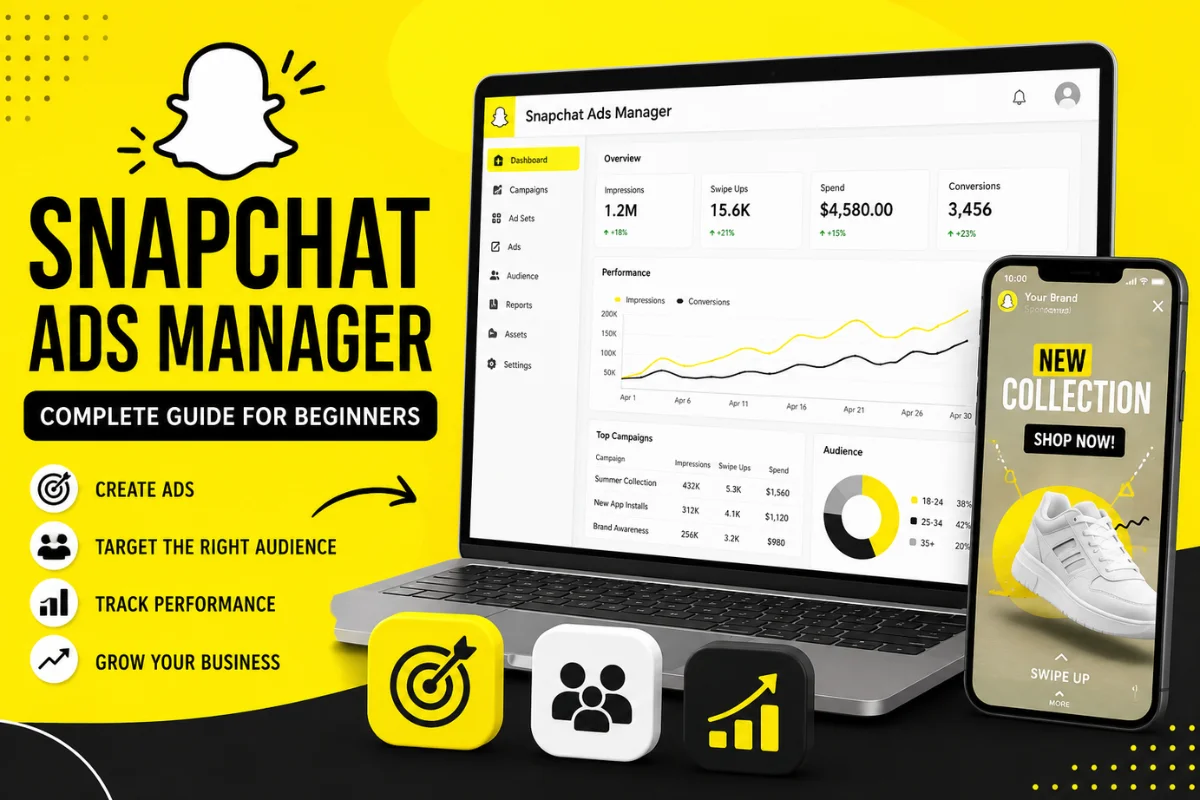
Snapchat Ads Manager is Snapchat’s self-service advertising platform. It allows businesses, creators, agencies, and eCommerce brands to create, launch, monitor, and optimize advertising campaigns directly from a web browser.
Instead of relying on third-party advertising tools, advertisers can manage every aspect of their campaigns from one dashboard.
Using Snapchat Ads Manager, you can:
- Create advertising campaigns
- Define marketing objectives
- Target specific audiences
- Set budgets and bidding strategies
- Upload creative assets
- Track campaign performance
- Analyze conversions
- Improve return on ad spend (ROAS)
The platform is designed to work for both small businesses with limited budgets and large enterprises running multiple campaigns simultaneously.
Why Businesses Use Snapchat Ads Manager
Snapchat has evolved far beyond disappearing messages. Today, it is a powerful advertising platform with an audience that actively engages with short-form content, augmented reality (AR), and creator-driven experiences.
Some major benefits include:
Reach Younger Audiences
Snapchat remains one of the leading social platforms among Gen Z and younger Millennials. If your products target users between 18 and 34 years old, Snapchat deserves a place in your marketing strategy.
Advanced Audience Targeting
Advertisers can reach people based on:
- Age
- Gender
- Language
- Location
- Interests
- Device type
- Lifestyle categories
- Customer lists
- Lookalike audiences
This makes campaigns more relevant and improves conversion rates.
Flexible Budgets
Unlike traditional advertising channels, Snapchat Ads Manager allows businesses to start with relatively small daily budgets while still reaching a meaningful audience.
Powerful Analytics
Real-time reporting helps advertisers understand:
- Impressions
- Swipe-ups
- Video views
- Purchases
- Installs
- Cost per action
- Return on ad spend
How Snapchat Ads Manager Works
The platform follows a straightforward campaign structure.
Campaign
The campaign defines your overall marketing objective.
Examples include:
- Awareness
- Website traffic
- App installs
- Video views
- Lead generation
- Sales
Ad Set
Within each campaign, you create one or more ad sets.
This is where you choose:
- Target audience
- Placements
- Budget
- Schedule
- Optimization goals
- Bid strategy
Ads
Finally, you upload the creative itself.
This includes:
- Videos
- Images
- Headlines
- Call-to-action buttons
- Destination URLs
This three-level structure makes campaign organization much easier.
How to Create a Snapchat Ads Manager Account
Getting started only takes a few minutes.
Step 1: Sign In
Log into your Snapchat account using a desktop browser.
Step 2: Access Ads Manager
Open Snapchat Ads Manager from Snapchat’s business platform.
Step 3: Enter Business Information
Provide:
- Business name
- Country
- Time zone
- Billing details
- Payment method
Step 4: Verify Your Account
Some advertisers may need to verify business information before launching campaigns.
Once verification is complete, you’re ready to build your first advertisement.
Snapchat Ad Objectives Explained
Choosing the correct objective is one of the most important decisions when creating a campaign.
Awareness
Designed to maximize impressions and introduce your brand to new audiences.
Best for:
- Product launches
- Brand visibility
- New businesses
Traffic
Optimized for users likely to visit your website.
Ideal when promoting:
- Blog posts
- Landing pages
- Online stores
App Promotion
Encourages users to install your mobile application.
Perfect for:
- Gaming apps
- Shopping apps
- Productivity apps
Lead Generation
Collect customer information directly inside Snapchat without requiring users to visit another website.
Website Conversions
Focuses on purchases, registrations, or other valuable actions after users visit your site.
Types of Ads Available in Snapchat Ads Manager
Snapchat offers multiple advertising formats for different campaign goals.
Single Image Ads
Simple, clean, and effective.
Suitable for:
- Promotions
- New arrivals
- Limited-time offers
Single Video Ads
One of the most popular formats.
Videos appear naturally between Stories and Spotlight content, making them highly engaging.
Collection Ads
Collection Ads display multiple products that users can browse instantly.
They’re commonly used by:
- Fashion brands
- Beauty companies
- Electronics retailers
Story Ads
Story Ads appear within Snapchat’s Discover section.
They allow businesses to showcase multiple pieces of content inside one branded story.
Dynamic Ads
Dynamic Ads automatically display products based on your product catalog.
These are especially useful for eCommerce stores wanting to retarget previous visitors.
AR Lens Ads
Snapchat is famous for augmented reality experiences.
Brands can create interactive lenses that users engage with and share, significantly increasing brand exposure.
Audience Targeting Options
Snapchat Ads Manager offers several targeting methods.
Demographic Targeting
Advertisers can target users based on:
- Age
- Gender
- Household income (available in selected regions)
- Education
Geographic Targeting
Campaigns can focus on:
- Countries
- States
- Cities
- ZIP codes
- Radius targeting
Perfect for local businesses.
Interest-Based Targeting
Reach users interested in:
- Technology
- Fashion
- Beauty
- Sports
- Food
- Gaming
- Travel
- Entertainment
Custom Audiences
Businesses can upload customer email lists or phone numbers to reconnect with existing customers.
Lookalike Audiences
Snapchat automatically finds users who resemble your existing customers.
This often improves campaign efficiency while expanding reach.
Snapchat Pixel: Why It Matters
The Snapchat Pixel is a small tracking code installed on your website.
It helps advertisers:
- Track purchases
- Measure conversions
- Build remarketing audiences
- Optimize bidding
- Improve campaign performance
Without the Pixel, measuring advertising success becomes much more difficult.
For eCommerce businesses, installing the Pixel should be one of the first setup steps.
Budgeting and Bidding
Snapchat Ads Manager supports flexible budgeting.
Daily Budget
Limits how much you spend each day.
Suitable for ongoing campaigns.
Lifetime Budget
Sets a maximum spend for the entire campaign duration.
Useful for seasonal promotions.
Automatic Bidding
Snapchat automatically adjusts bids to achieve your campaign objective efficiently.
Recommended for beginners.
Manual Bidding
Experienced advertisers can manually control bids to maximize profitability.
Measuring Campaign Performance
Successful advertising depends on tracking the right metrics.
Important KPIs include:
- Impressions
- Reach
- Swipe-up rate
- Video completion rate
- Click-through rate (CTR)
- Cost per click (CPC)
- Cost per acquisition (CPA)
- Return on ad spend (ROAS)
- Purchases
- Leads generated
Review these metrics regularly to identify opportunities for improvement.
Best Practices for Better Snapchat Ads
Creating ads is easy.
Creating profitable ads requires strategy.
Capture Attention Quickly
Users scroll fast.
Show your key message within the first two seconds.
Design for Mobile
Always create vertical content in a 9:16 format.
Avoid horizontal videos.
Keep Videos Short
Videos between 6 and 15 seconds often perform best because they maintain viewer attention while delivering a clear message.
Use Strong Call-to-Actions
Tell users exactly what to do.
Examples include:
- Shop Now
- Learn More
- Download
- Sign Up
- Get Started
Test Multiple Creatives
Run A/B tests using different:
- Headlines
- Videos
- Images
- CTAs
- Audience segments
Small creative changes can significantly impact campaign performance.
Latest Snapchat Ads Manager Updates
Snapchat continues improving its advertising platform to help businesses achieve better results.
Recent developments include:
AI-Powered Campaign Optimization
Machine learning now plays a larger role in campaign delivery. Automated optimization helps identify users most likely to complete your desired action, reducing manual adjustments.
Improved Conversion Reporting
Enhanced reporting provides clearer insights into the customer journey, making it easier to understand which ads contribute to sales and conversions.
Advanced Catalog Features
Dynamic product ads now support richer product catalogs, allowing eCommerce businesses to automatically promote relevant items based on user behavior.
Better Privacy Controls
As digital privacy regulations evolve, Snapchat has introduced updated measurement and data-handling features that support privacy-focused advertising while maintaining campaign effectiveness.
Enhanced Creative Tools
Advertisers now have access to improved templates, automated creative recommendations, and easier video editing workflows, helping businesses produce engaging ads faster.
These updates reflect a broader industry shift toward AI-assisted advertising, first-party data strategies, and privacy-conscious measurement.
Common Mistakes to Avoid
Many beginners lose money because of simple errors.
Avoid these common mistakes:
- Choosing the wrong campaign objective
- Targeting an audience that is too broad
- Ignoring Snapchat Pixel installation
- Using low-quality videos
- Not testing multiple creatives
- Ending campaigns too early
- Ignoring analytics
- Using desktop-style creatives instead of mobile-first designs
Learning from these mistakes can improve campaign performance over time.
Is Snapchat Ads Manager Worth Using?
For brands targeting younger audiences, the answer is yes.
Snapchat Ads Manager combines flexible budgets, advanced targeting, engaging ad formats, and AI-powered optimization into one easy-to-use platform. Whether you’re promoting an online store, mobile app, local business, or personal brand, it provides the tools needed to reach highly engaged users.
Success on Snapchat doesn’t come from simply launching ads—it comes from understanding your audience, creating authentic mobile-first content, and continuously optimizing campaigns based on performance data.
As Snapchat continues expanding its AI capabilities, privacy-safe measurement tools, and augmented reality advertising experiences, Ads Manager is becoming an increasingly valuable platform for businesses looking to grow their digital presence and maximize advertising ROI.
Frequently Asked Questions
Is Snapchat Ads Manager free to use?
Creating an account is free. You only pay when your advertising campaigns start spending your chosen budget.
What is the minimum budget for Snapchat ads?
Snapchat allows advertisers to start with relatively small daily budgets, making the platform accessible for startups and small businesses.
Do I need Snapchat Pixel?
Yes. Installing Snapchat Pixel helps measure conversions, optimize campaigns, and build remarketing audiences for better results.
Which businesses benefit most from Snapchat Ads Manager?
eCommerce stores, mobile apps, local businesses, fashion brands, beauty companies, restaurants, entertainment brands, and startups often see strong results due to Snapchat’s highly engaged audience.
Can beginners use Snapchat Ads Manager?
Absolutely. The platform includes guided campaign creation, automatic bidding, and built-in reporting tools that make it beginner-friendly while still offering advanced features for experienced advertisers.