Snapchat Location: How Snap Map Location Sharing Works in 2026
Snapchat location sharing is one of the app’s most useful features for staying connected with friends. Through Snap Map, you can see where selected friends are, explore places, discover Snaps from around the world, and share your own location.
But location sharing also raises an important question: Who can see your location on Snapchat?
The answer depends on your privacy settings. Snapchat location sharing is turned off by default, and you decide which friends can see your location.
What Is Snapchat Location?
Snapchat location is the location information connected to your account and device. It is mainly used through Snap Map, Snapchat’s interactive map.
When location sharing is enabled, your Bitmoji can appear on the map for the friends you have selected. You can also use Snap Map to explore places, events, and public Snaps from different areas.
Your location is not automatically visible to everyone on Snapchat. You have control over who can access it.
What Is Snap Map?
Snap Map is Snapchat’s location-based feature. You can open it from the Snapchat app to see your own location, eligible friends, and content connected to different places. It can also help you stay connected with your Snapchat Best Friends and see where selected friends are sharing their location.
It is more than just a friend-location tool. Snap Map can also show Snaps connected to events, celebrations, sports, breaking news, and other public activity.
This makes the map useful for both social interaction and discovering what is happening in different locations.
Is Snapchat Location Sharing On by Default?
No. Snapchat location sharing is off by default.
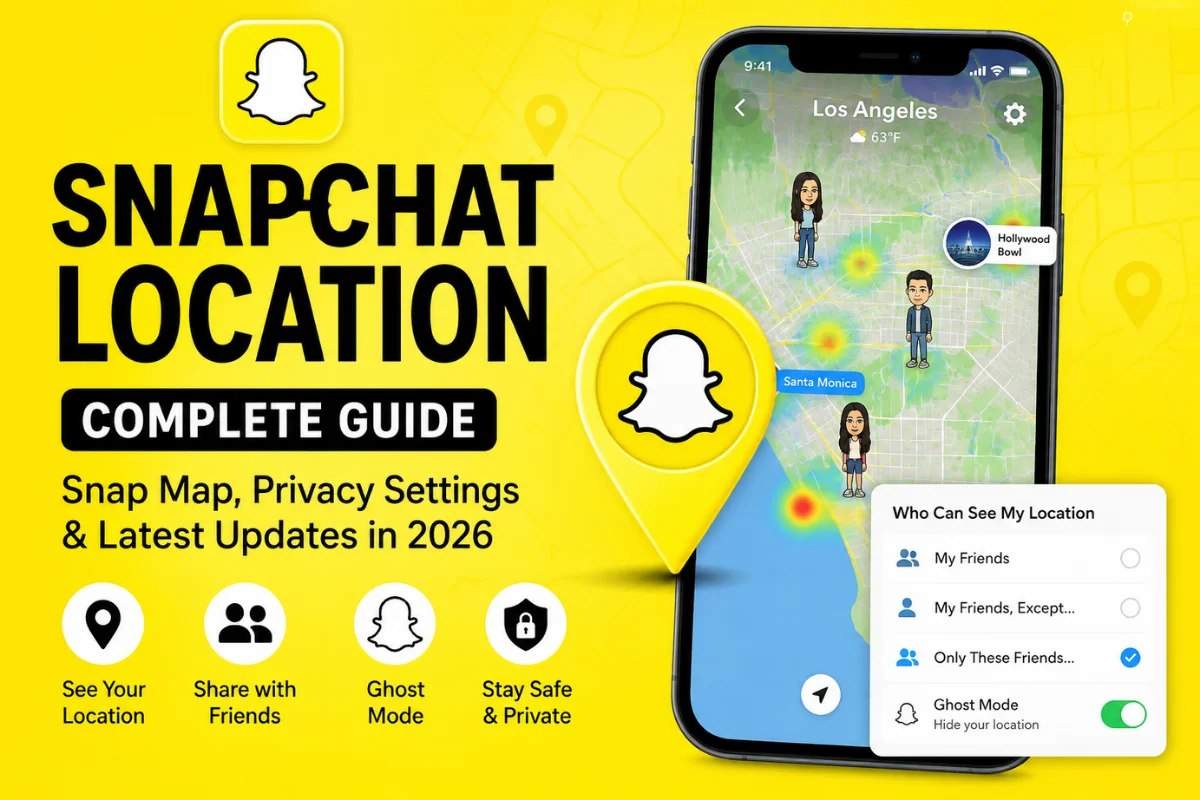
You need to choose whether you want to share your location with friends. Snapchat currently provides several options, including sharing with all friends, excluding certain friends, or selecting specific friends.
This is important because simply having Snapchat installed does not mean your friends can automatically track your location.
Who Can See Your Location on Snapchat?
You control who can see your location through Snap Map settings.
The main options include:
My Friends
This allows your Snapchat friends to see your location, depending on your account and mutual-friend relationship.
My Friends, Except…
This option lets you share your location with most friends while hiding it from specific people.
It can be useful if you want to keep location sharing active but do not want certain friends to see where you are.
Only These Friends
You can also choose specific friends who are allowed to see your location.
The selected friends are not notified when you add them to this list.
Ghost Mode
Ghost Mode hides your location from other people on Snap Map.
You can turn it on temporarily or keep it enabled until you decide to turn it off. Snapchat currently provides timer options such as 3 hours, 24 hours, or until turned off.
How to Turn Off Location on Snapchat
If you do not want friends to see your location, you can use Ghost Mode.
Open Snap Map, tap the gear icon, and turn on Ghost Mode.
Your location will remain hidden from other people on the map. However, Snapchat explains that Ghost Mode does not necessarily stop Snapchat itself from receiving location information if you have granted the app location permission.
For stronger privacy, you can also change Snapchat’s location permission from your phone’s settings.
How Long Does Snapchat Location Stay Visible?
The length of time your location remains visible depends on your device’s location permission.
With “Only while using” permission, Snapchat says your location on Snap Map can expire after 24 hours.
With “Always” or background location access, selected friends can receive updated real-time location information even when you are not actively using Snapchat.
This difference is important. Your phone’s location permission can affect how Snapchat updates your location.
Snapchat Live Location and Background Location
Snapchat has expanded location sharing beyond simply showing your last known position.
With background location sharing, you can allow selected friends or family members to see your real-time location even after you close Snapchat. This can be useful when traveling or letting someone know that you are safely heading home.
However, background location is more sensitive than ordinary Snap Map sharing. Snapchat recommends sharing it only with people you trust and only for as long as necessary.
What Is Arrival Notifications on Snapchat?
One of the newer location-focused features is Arrival Notifications.
This feature can automatically notify a friend when you arrive at a location you have selected, such as home, school, or a hotel.
You can choose whether the notification happens once or every time you arrive. One-time notifications expire after 24 hours, while recurring notifications remain active until you turn them off.
To use Arrival Notifications, Snapchat currently requires “Always” location access. This means you should carefully review your location-sharing settings before enabling the feature.
Can People See Your Location in Ghost Mode?
Your friends cannot see your location on Snap Map when Ghost Mode is enabled.
However, Ghost Mode is not the same thing as completely stopping Snapchat from accessing your location.
Snapchat explains that Ghost Mode hides your location from friends while the app may still have access to location information if you have granted it permission.
So, if your goal is complete location privacy from Snapchat itself, check your phone’s location permissions as well.
Can Your Location Still Appear on Snap Map?
There is an important exception.
Even if you change your personal location-sharing settings, Snaps submitted to Snap Map can still appear on the map.
This means hiding your live location does not necessarily remove location-related content that you voluntarily submit to the public map.
Think of these as two different things: your personal location and a Snap you choose to publish to Snap Map.
Latest Snapchat Location Updates to Know in 2026
Snapchat’s current location features show that Snap Map is becoming more than a simple friend-tracking tool.
Recent Snapchat Support updates highlight features such as Arrival Notifications, My Home, location badges, background location sharing, and other map-based experiences.
Snapchat also now provides a My Home option on Snap Map. You can set a home location and choose a home icon, while friends you share your location with can see it on the map.
Another newer map feature is the Top Visitor status. Snapchat says this can appear when you frequently visit a location, and the trophy is visible only to you unless you choose to share it.
These updates show that Snapchat is using location for more personalized and practical experiences, not just friend visibility.
How to Keep Your Snapchat Location Private
If privacy is your priority, review your settings regularly.
Use Ghost Mode when you do not want friends to see your location. If you share your location, consider using Only These Friends instead of sharing it broadly.
Also review your phone’s location permission. Snapchat recommends being especially careful with background location and only sharing it with trusted people.
Finally, remember that submitting a Snap to Snap Map can make location-related content visible independently of your personal location-sharing setting.
Final Thoughts
Snapchat location is mainly built around Snap Map, giving users control over how they share their whereabouts while also offering location-based discovery features.
The key thing to remember is that your location is not automatically shared with everyone. You can choose your audience, use Ghost Mode, or adjust your phone’s location permissions.
With features such as background location, Arrival Notifications, My Home, and Top Visitor, Snapchat’s location system continues to evolve in 2026. The safest approach is to review your settings regularly and share location information only when you are comfortable doing so.