Is Snapchat Safe? An Honest 2026 Guide for Parents and Users
Snapchat feels harmless. You send a photo, it disappears, everyone moves on. That’s the pitch, anyway.
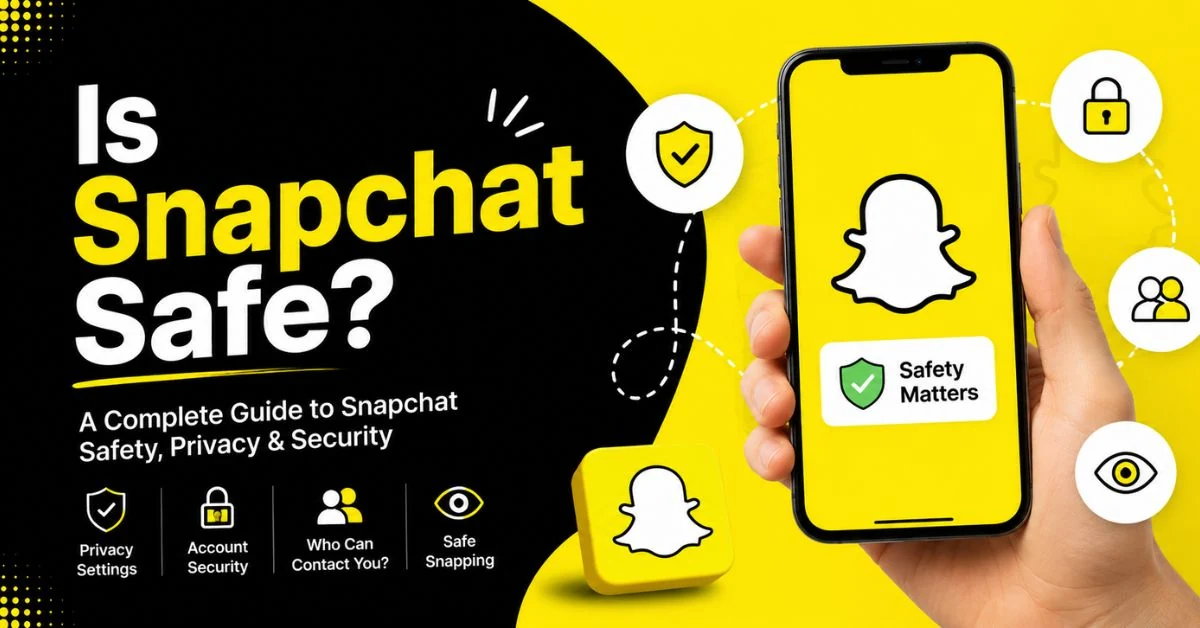
The reality is more complicated. Snapchat can be used safely, but it isn’t risk-free out of the box — especially for kids and teens. The disappearing messages, the built-in AI chatbot, and the real-time location sharing all create openings that don’t exist on most other apps, and Snapchat’s own safety team has had to keep patching the gaps.
This guide gives you the straight answer: what’s actually risky, what Snapchat does well, and exactly how to lock the app down in a few minutes. Read here about snapchat planets.
Quick Answer: Is Snapchat Safe?
Snapchat is reasonably safe for adults who use it carefully, but it carries meaningful risks for minors — mainly around stranger contact, location sharing, and a false sense of privacy created by disappearing messages. Snapchat sets teen accounts to private by default and offers parental oversight through Family Center, but that oversight has real limits: parents can’t read message content, and the teen has to agree to be monitored in the first place. Turning on Ghost Mode, setting the account to private, and reviewing the friend list regularly closes most of the gap.
What Is Snapchat, Exactly?
Snapchat is a multimedia messaging app owned by Snap Inc. Photos and videos (“Snaps”) are designed to disappear after they’re viewed, which is what separates it from Instagram or WhatsApp. Around that core idea, Snap has built out a much bigger platform:
- Snap Map – shows a user’s real-time location to friends on a live map
- My AI – a built-in chatbot users can message like a friend
- Snapstreaks – a running tally that rewards two people for messaging every single day
- Spotlight and Discover – short-form video feeds similar to TikTok and Instagram Reels
- Public Profiles – lets older teens (16–17) and adults share content publicly, not just with friends
Each of these features has its own safety profile, which is why “is Snapchat safe” doesn’t really have a one-word answer.
The Real Risks: What Makes Snapchat Different
1. Disappearing Messages Create False Security
The whole appeal of Snapchat is that content vanishes. In practice, that encourages people — teens especially — to send things they’d never send on a platform where the message sticks around. Screenshots, screen recordings, and a second phone camera all defeat the “disappearing” part completely, and the sender often doesn’t find out until it’s too late.
2. Snap Map Shares Real-Time Location
Snap Map can broadcast a user’s exact live location to their friend list. Snapchat does keep this off by default and restricts sharing to accepted friends only — there’s no way to share with a stranger through Snap Map. But once a teen accepts a friend request from someone they don’t actually know, that stranger can see exactly where they are, in real time.
3. My AI Isn’t a Substitute for Judgment
Snapchat’s built-in chatbot, My AI, has been flagged by safety researchers and at least one European data protection regulator for giving teen users inappropriate or unsafe advice in testing scenarios. It’s opt-out, not opt-in — most accounts have it enabled by default, and it can be disabled through Family Center.
4. Stranger Contact and Predatory Behavior
Because usernames are easy to find and share, and because the friend-request system doesn’t verify identity, Snapchat remains a platform where predators actively target minors — a pattern flagged repeatedly by child safety organizations like the Child Rescue Coalition. Accounts are private by default, but a single accepted friend request from a stranger opens the door.
5. Snapstreaks and Cyberbullying Pressure
The gamified Snapstreak feature pushes users, particularly teens, to keep messaging daily to avoid “losing the streak.” Combined with disappearing content that’s hard for adults to review, Snapchat has been repeatedly named among the platforms most associated with cyberbullying among teens.
6. Weak Age Verification
Snapchat requires users to be at least 13, and the platform does terminate accounts it identifies as belonging to younger children. But age is self-reported at signup — a child can simply enter a false birthdate — which strips away every teen-specific protection Snapchat has built in.
Is Snapchat Safe for Kids and Young Teens?
Under 13: No. Snapchat’s terms require users to be at least 13, and children under that age don’t get any of the platform’s teen safety protections even if they lie about their birthdate to sign up.
Ages 13–15: Snapchat gives this age group its strictest default settings — private accounts, friends-only contact, location sharing off, and no public content sharing. It’s usable, but it still needs active parental involvement: Family Center, regular check-ins about who’s on the friend list, and a clear conversation about why disappearing doesn’t mean deleted.
Ages 16–17: Slightly more freedom, including the option to turn on a Public Profile. Most of the same risks apply, just with a bit more independence built in.
17 specifically: Functionally the same protections as other older teens, with the option (not requirement) to enable Public Profiles and share content beyond their friend list.
Is Snapchat Safe to Chat With Strangers?
No — and Snapchat doesn’t really encourage it either. Accounts are private by default, which means a user can only be messaged by people already on their friend list. The risk isn’t Snapchat’s default settings; it’s what happens after someone accepts a friend request from a person they’ve never met. Once that request is accepted, that “stranger” has the same access as a real-life friend, including the ability to see Snap Map location if it’s shared.
Can Someone Get Your Information From Snapchat?
Snapchat itself doesn’t publicly expose contact details, but there are a few realistic ways personal information leaks out:
- Snap Map, if enabled, shares real-time location with your friend list
- Usernames and phone numbers, if you allow “everyone” to find you (Snapchat restricts this for teens by default)
- Screenshots, which can preserve content you assumed had disappeared
- Account hacking, which two-factor authentication significantly reduces
None of these are unique to Snapchat, but the app’s disappearing-content design makes people less cautious than they’d be elsewhere — which is exactly the risk.
Why Are People Getting Rid of Snapchat?
A few recurring reasons show up across parent forums, safety reports, and app-store reviews:
- Screen time and addiction concerns, tied to Snapstreaks and constant notifications
- Exposure to strangers and predatory contact, even with private defaults
- Location-sharing anxiety once parents learn how Snap Map works
- Regulatory pressure — several governments, including the UK, have moved toward tighter social media rules for under-16s in 2026, with Snapchat named as one of the platforms under review
- Distrust of disappearing content, since parents can’t review what’s already gone
None of these mean Snapchat is uniquely dangerous compared to other social apps — but they explain the hesitation.
How to Make Snapchat Safer (Step by Step)
If you or your teen already use Snapchat, these settings take about ten minutes and close most of the meaningful gaps.
- Set the account to private. This is the default for new accounts, but it’s worth confirming under Settings.
- Turn on Ghost Mode. Found under Snap Map settings, this stops your location from being shared with anyone.
- Enable two-factor authentication. Settings → Two-Factor Authentication. This makes the account much harder to hijack.
- Review the friend list regularly. Remove anyone who isn’t a real, known contact.
- Turn on Family Center (for parents of teens). It shows who your teen has messaged recently, new friends added, and time spent per feature — though not message content.
- Restrict sensitive content. Family Center lets parents limit what shows up in Spotlight and Stories.
- Turn off My AI, or at minimum talk to your teen about not treating it as a trusted source.
- Talk about screenshots. The single most important safety conversation: disappearing doesn’t mean deleted.
What Snapchat’s Family Center Can and Can’t Do
Family Center is Snapchat’s built-in parental tool, expanded significantly in early 2026. It’s genuinely useful, but it has real boundaries worth knowing before you rely on it.
What it shows: friend list and new additions, trust signals for new friends (mutual friends, saved contacts, shared communities), who your teen has messaged in the past seven days, time spent per feature, and content restriction controls.
What it doesn’t show: the actual content of any message or Snap. It also requires your teen to accept the connection request — it isn’t something a parent can switch on unilaterally.
That gap is exactly why most safety experts recommend pairing Family Center with an honest conversation, not treating it as a replacement for one.
Snapchat vs. Instagram: Which Is Safer?
Neither app is inherently safer across the board — they carry different types of risk.
| Snapchat | ||
|---|---|---|
| Default privacy for teens | Private by default | Private by default |
| Disappearing content | Core feature (Snaps, Chat) | Optional (Stories only) |
| Real-time location sharing | Yes (Snap Map) | No built-in equivalent |
| Built-in AI chatbot | Yes (My AI) | Yes (Meta AI) |
| Parental oversight tool | Family Center | Family Center (Meta) |
Snapchat’s disappearing-by-default design and live location sharing are its biggest differentiators from a risk standpoint — and its biggest safety blind spots.
Frequently Asked Questions
Is Snapchat safe for a 12-year-old?
No. Snapchat requires users to be at least 13. A 12-year-old shouldn’t have an account, and if one exists through a false birthdate, none of Snapchat’s teen safety protections apply to it.
Is Snapchat safe for a 13-year-old?
It can be, with supervision. Thirteen-year-olds get Snapchat’s strictest default protections — private accounts, no public sharing, friends-only contact — but active parental involvement through Family Center is strongly recommended at this age.
Is Snapchat safe for a 14-year-old?
Similar to 13-year-olds: usable with the same teen protections in place, but still worth monitoring through Family Center and regular check-ins about the friend list.
Is Snapchat safe for an 11 or 10-year-old?
No. This age group is below Snapchat’s minimum age requirement and shouldn’t be using the platform at all.
Is Snapchat safe for a 17-year-old?
Generally yes, with the platform’s standard teen protections, though 17-year-olds do have the option to enable a Public Profile and share content more widely if they choose to.
Is Snapchat safe to use overall?
Yes, for most adults using it with reasonable caution — private account, no location sharing with unknown contacts, and awareness that screenshots defeat the disappearing-message feature.
Is Snapchat safe for video calls?
Snapchat’s video chat works only between accepted friends, which limits exposure. The same caution applies as with messaging: know who’s on the friend list before accepting a call.
Is Snapchat safe for sending private pictures?
Disappearing doesn’t mean unrecoverable. Screenshots, screen recordings, and a second device can all preserve content that was meant to vanish. Treat anything sent on Snapchat as potentially permanent.
Does Snapchat notify you if someone screenshots your Snap?
Yes, Snapchat sends a notification when a Snap or Chat is screenshotted, though this doesn’t prevent the screenshot from happening — it only tells you after the fact.
Conclusion
Snapchat isn’t a uniquely dangerous app, but it’s also not a “set it up and forget it” platform, especially for teenagers. The disappearing-content design, live location sharing, and open friend-request system all create risks that don’t show up on more traditional social platforms. The good news: Snapchat’s own default settings for teens are genuinely strict, and a handful of adjustments — Ghost Mode, two-factor authentication, Family Center, and an honest conversation about screenshots — cover most of the gap. Used deliberately, Snapchat can be reasonably safe. Used on autopilot, it can’t.