Snapchat Ghost Mode: What It Is, How It Works, and When You Should Use It
Snapchat is known for its privacy-focused features, and Ghost Mode is one of the most useful tools for protecting your location. If you’ve ever wondered how to stop others from seeing where you are on Snapchat, Ghost Mode is the answer.
Whether you’re new to Snapchat or you’ve been using it for years, understanding how Ghost Mode works can help you stay in control of your privacy without giving up the app’s social features.
In this guide, you’ll learn what Snapchat Ghost Mode is, how to enable it, how it affects Snap Map, and whether someone can tell if you’ve turned it on.
What Is Snapchat Ghost Mode?
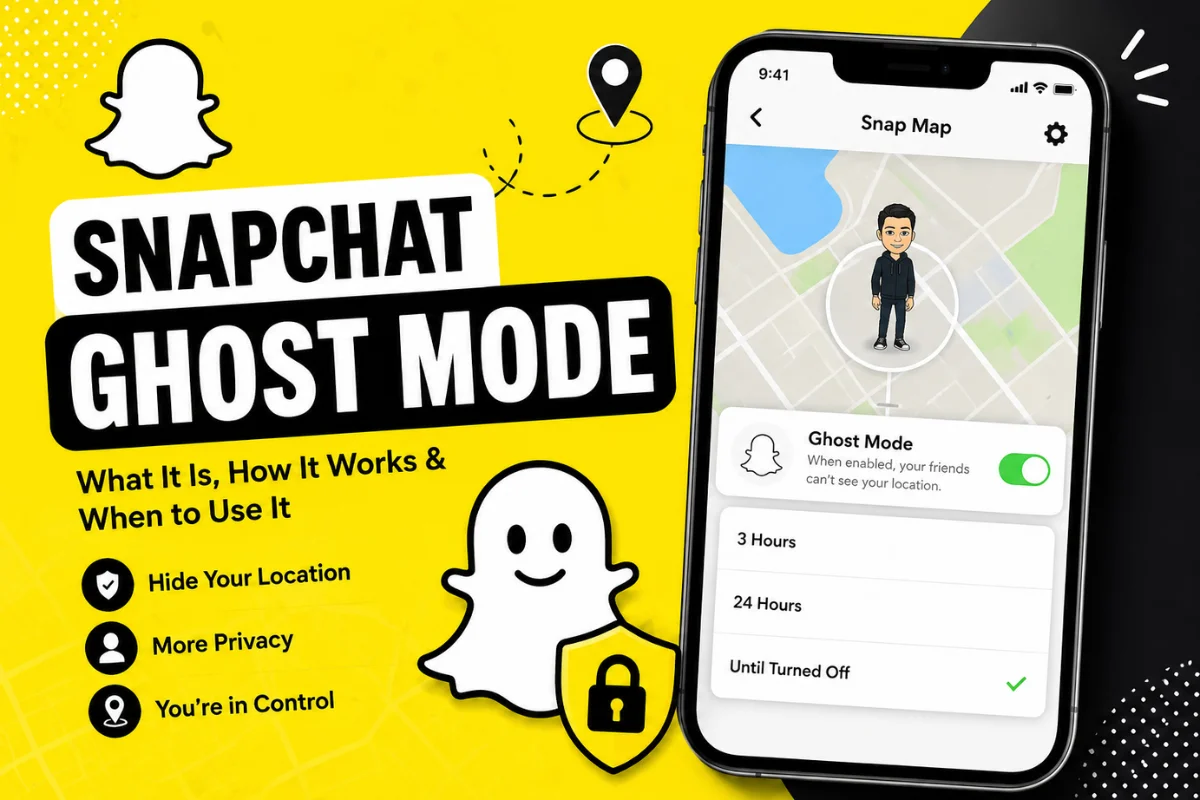
Snapchat Ghost Mode is a privacy setting that hides your live location on Snap Map. When Ghost Mode is enabled, no one can see where you are, even if they are on your friends list.
Instead of sharing your current location, Snapchat simply removes your Bitmoji from the map until you decide to share your location again.
Ghost Mode gives you complete control over your location without affecting your ability to send Snaps, chat with friends, or use other Snapchat features.
How Does Ghost Mode Work?
Normally, Snapchat updates your location whenever you open the app and have location services enabled.
When Ghost Mode is turned on:
- Your location is hidden from everyone.
- Your Bitmoji disappears from Snap Map.
- Friends cannot track your recent location.
- You can still view Snap Map yourself.
- You can continue sending Snaps and messages normally.
Ghost Mode only changes who can see your location. It does not disable other Snapchat features.
Why Do People Use Ghost Mode?
Many Snapchat users prefer keeping their location private for different reasons.
Common reasons include:
Better Privacy
Not everyone wants friends to know where they are throughout the day.
Personal Safety
Keeping your location private reduces unwanted attention from people who know your routine.
Traveling
Many users enable Ghost Mode while traveling to avoid sharing their live location.
School or Work
Some people don’t want classmates or coworkers to know where they spend their time.
Family Privacy
Parents often recommend Ghost Mode for younger users to avoid unnecessary location sharing.
How to Turn On Ghost Mode on Snapchat
Enabling Ghost Mode only takes a few seconds.
On Android and iPhone
- Open Snapchat.
- Tap your Bitmoji in the top-left corner.
- Tap the Snap Map icon.
- Tap the Settings (Gear) icon.
- Turn on Ghost Mode.
- Choose one of the available options:
- 3 Hours
- 24 Hours
- Until Turned Off
Once enabled, your location immediately becomes invisible.
Ghost Mode Timer Options
Snapchat gives users flexible privacy settings.
3 Hours
Ideal if you’re going out for a short time and don’t want your location visible temporarily.
24 Hours
Useful for day trips, events, or vacations.
Until Turned Off
Best for users who prefer permanent location privacy.
Many privacy-conscious users leave Ghost Mode enabled all the time.
Can Someone Tell If You’re Using Ghost Mode?
No.
Snapchat does not notify friends when you enable Ghost Mode.
Your friends simply won’t see your Bitmoji on Snap Map.
There is no message, notification, or alert that tells someone you turned on Ghost Mode.
Can You Still Use Snapchat in Ghost Mode?
Yes.
Ghost Mode only affects location sharing.
You can still:
- Send Snaps
- Receive messages
- Start chats
- Make voice calls
- Make video calls
- Create Stories
- View Stories
- Watch Spotlight videos
- Use Snapchat Plus features
Everything works normally except location sharing.
Can You Still See Other People’s Locations?
Yes, in most cases.
Even when Ghost Mode is enabled, you can still view friends who choose to share their location with you.
However, if they also hide their location or stop sharing with you, you won’t be able to see them.
Does Ghost Mode Turn Off Location Services?
No.
This is a common misunderstanding.
Ghost Mode only hides your location from other Snapchat users.
Your phone’s location services remain active unless you disable them through your device settings.
Ghost Mode vs Turning Off Phone Location
Many users confuse these two options.
| Ghost Mode | Turn Off Phone Location |
| Hides location from Snapchat friends | Disables location for the app completely |
| Snap Map still works | Snap Map cannot update location |
| Easy to turn on or off | Requires changing phone settings |
| Best for privacy | Best for complete location restriction |
Ghost Mode offers a better balance between privacy and convenience.
Can Snapchat Still See Your Location?
Yes.
Even when Ghost Mode is enabled, Snapchat may still access your device location if you have granted location permission and use location-dependent features.
Ghost Mode prevents other users from seeing your location—it does not necessarily stop Snapchat from processing location data needed for services such as filters, local content, or technical functions. You can manage app permissions from your phone’s privacy settings if you want to limit location access further.
Does Ghost Mode Affect Streaks?
No.
Your Snap Streaks continue normally.
Ghost Mode has no impact on:
- Snap Streaks
- Friendships
- Best Friends list
- Snapchat Score
- Chats
- Calls
Only location visibility changes.
Does Ghost Mode Affect Snapchat Plus?
No.
Snapchat Plus subscribers can still enjoy premium features while using Ghost Mode.
Privacy settings work independently from your subscription.
Can You Share Location With Only Certain Friends?
Yes.
If you don’t want to use Ghost Mode, Snapchat also lets you choose who can see your location.
Available options include:
- My Friends
- My Friends Except…
- Only These Friends
This gives you more control if you only want trusted people to view your location.
When Should You Use Ghost Mode?
Ghost Mode is useful in many situations.
You may want to enable it when:
- Traveling alone
- Visiting unfamiliar places
- Going on vacation
- Working late
- Meeting someone privately
- Attending public events
- Protecting your daily routine
- Taking a break from social sharing
Many users simply prefer keeping their location private at all times.
Common Myths About Snapchat Ghost Mode
Myth 1: Ghost Mode Deletes Your Account
False.
It only hides your location.
Myth 2: Friends Receive a Notification
False.
Snapchat never sends an alert when Ghost Mode is enabled.
Myth 3: Ghost Mode Stops Messages
False.
You can still send and receive messages normally.
Myth 4: Ghost Mode Removes Friends
False.
Your friends list remains exactly the same
Myth 5: Ghost Mode Turns Off GPS
False.
It only hides your location inside Snapchat.
Troubleshooting Ghost Mode
Sometimes users think Ghost Mode isn’t working correctly. Here are a few things to check.
Your Bitmoji Still Appears
Close and reopen Snapchat after enabling Ghost Mode. If the issue continues, make sure the setting is still turned on.
Location Keeps Updating
Check that Ghost Mode is enabled and review your Snap Map settings. Updating the Snapchat app to the latest version can also help.
Can’t Find Ghost Mode
If you don’t see the option, update Snapchat through your device’s app store. Older versions may have a different layout.
Tips for Better Privacy on Snapchat
Ghost Mode is only one part of protecting your privacy. You can also:
- Review who can contact you.
- Limit who can view your Story.
- Choose who can see your location.
- Keep the Snapchat app updated.
- Regularly review your privacy settings.
- Avoid sharing sensitive information in public Stories.
Taking a few minutes to adjust these settings can make your Snapchat experience more secure.
Frequently Asked Questions
Is Snapchat Ghost Mode free?
Yes. Ghost Mode is available to all Snapchat users at no extra cost.
Does Ghost Mode hide my last known location?
Once Ghost Mode is enabled, your location is no longer visible on Snap Map. Friends cannot see new location updates while it remains active.
Can I turn Ghost Mode off anytime?
Yes. You can disable Ghost Mode whenever you want and resume location sharing.
Will Ghost Mode hide my Stories?
No. Your Stories remain visible based on your Story privacy settings.
Does Ghost Mode affect video calls?
No. Voice and video calls work exactly the same.
Can I use Snap Map while in Ghost Mode?
Yes. You can still explore Snap Map and view shared locations from friends who have chosen to share with you.
Final Thoughts
Snapchat Ghost Mode is one of the easiest ways to protect your privacy while still enjoying everything the app has to offer. It lets you hide your location without affecting chats, Stories, calls, or other Snapchat features.
Whether you want temporary privacy during a trip or prefer not to share your location at all, Ghost Mode gives you flexible options to control who sees where you are. By understanding how it works and reviewing your overall privacy settings, you can use Snapchat more confidently and securely.