Is Snapchat Safe for Kids? A Parent’s Guide to Snapchat Safety in 2026
Snapchat is one of the most popular social apps among teenagers. Its disappearing messages, Stories, Snap Map, Spotlight, and AI features make it fun and easy to use. But many parents naturally ask: Is Snapchat safe for kids?
The answer depends on the child’s age, how they use the app, and the safety settings enabled on their account.
Snapchat is not designed for children under 13. For teenagers aged 13–17, Snapchat provides additional privacy and safety protections, and parents can use Family Center to monitor certain aspects of their teen’s activity.
Still, no social media platform is completely risk-free. Parents should understand both the protections and the potential problems before allowing a child to use Snapchat.
What Age Is Snapchat Safe For?
Snapchat officially requires users to be at least 13 years old to create an account. If Snapchat learns that an account belongs to someone under 13, it says the account can be terminated and the data deleted.
For children under 13, Snapchat should therefore not be treated as an appropriate social platform.
Teenagers between 13 and 17 receive additional safety protections. Their accounts are private by default, and Snapchat has introduced restrictions designed to make it harder for strangers to contact them.
Parents should also make sure their teenager enters their real birthday when creating an account. Snapchat uses age information to provide the appropriate protections.
What Makes Snapchat Safer for Teenagers?
Snapchat has several safety features specifically designed for teenagers.
Teen accounts are private by default. Teenagers generally need to be friends with another user before communicating directly, with additional protections against unwanted contact. Snapchat also uses warnings when a teen interacts with someone who may not be part of their real-world network.
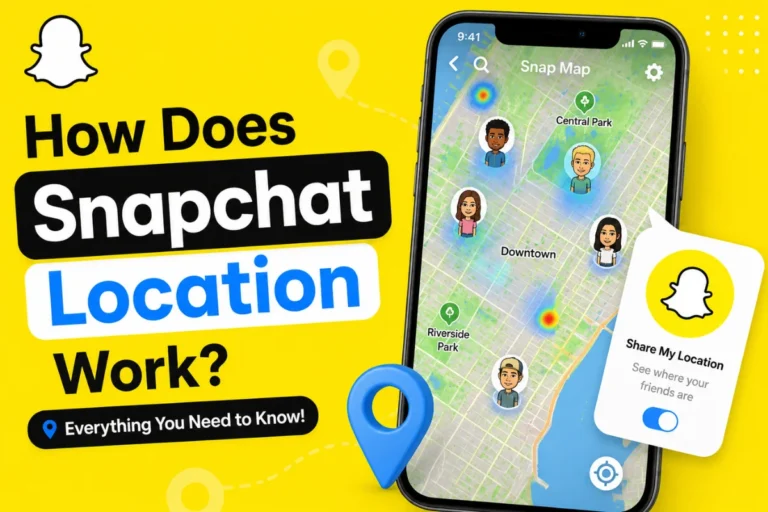
Location sharing is another important area. Snap Map location sharing is off by default, and users can choose which friends can see their location.
These settings can reduce some risks, but parents should still discuss location privacy with their children.
Snapchat’s New Friends-Only Protection for Younger Teens
One of the important Snapchat safety updates in 2026 affects users aged 13–15.
In June 2026, Snapchat announced a new friends-only experience for younger teens. Users in this age group can create and showcase Stories and Spotlight videos on a profile that is visible only to mutually accepted friends.
Snapchat also said that users aged 13–15 would no longer have their Spotlight content distributed to non-friend audiences under this updated experience.
This represents a shift toward keeping younger teenagers’ content within their existing friend network.
For parents, it is still important to check the settings because platform features and availability can change over time.
What Is Snapchat Family Center?
Family Center is Snapchat’s main parental safety tool.
It allows parents and caregivers to get information about how their teen uses Snapchat without giving them access to the private contents of their conversations.
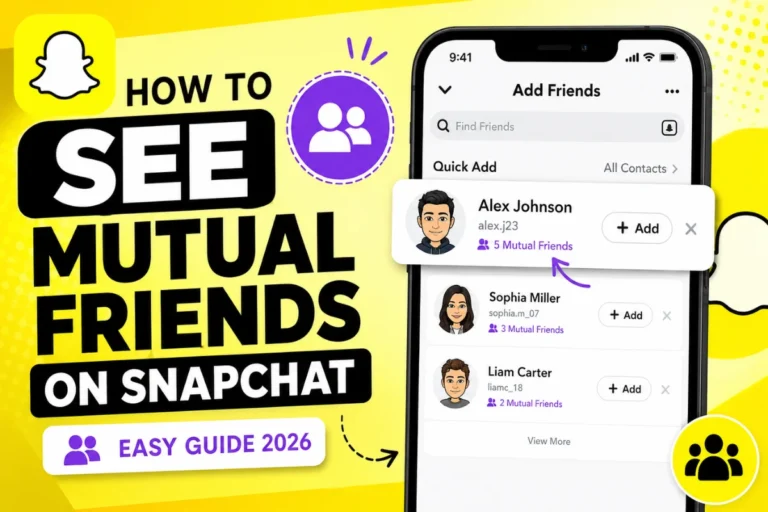
Parents can see their teen’s current friends and people they have recently communicated with. They can also view certain information about new friends, including signals such as mutual friends or whether the person is saved in the teen’s contacts.
Family Center also provides content controls and other safety options.
Parents can use it to:
- Review their teen’s friends
- See who they recently communicated with
- Restrict sensitive content
- Disable My AI
- Request live location sharing
- Report concerning accounts
- Review certain Snapchat usage information
In 2026, Snapchat expanded Family Center with information about the average amount of time a teen spent on Snapchat during the previous week and how that time was divided between features such as Chat, Camera, Snap Map, Spotlight, and Stories.
What Are the Main Risks of Snapchat for Kids?
Even with these protections, parents should understand the potential risks.
1. Contact With Strangers
Snapchat has introduced protections to make it harder for strangers to contact teens. However, online friendships can still create risks.
Children may accept friend requests without fully understanding who is behind an account.
Parents should teach kids not to accept requests from people they do not know in real life.
2. Inappropriate Content
Spotlight and Stories can expose teenagers to content that may not be appropriate for their age.
Snapchat says it uses automated systems and human review to moderate public content and prevent inappropriate material from being broadly recommended to teens.
Parents can also use Family Center’s content controls to make the viewing experience more restricted.
3. Location Privacy
Snap Map can be useful for keeping up with friends and family, but location information deserves special attention.
Children should understand that sharing their location can reveal where they are or where they regularly spend time.
Parents should review Snap Map settings with their teenagers and explain why location privacy matters.
4. Screen Time
Snapchat can become a frequent part of a teenager’s daily routine.
The issue is not necessarily Snapchat itself but how much time a child spends using it and whether it affects sleep, school, family time, or other activities.
The newer Family Center usage insights can help parents start a conversation about healthy screen habits.
5. Screenshots and Saved Content
The disappearing nature of Snapchat can give teenagers a false sense that everything disappears permanently.
That is not a safe assumption.
Someone can screenshot, screen-record, photograph another device, or otherwise save content. Kids should never send something simply because they believe it will disappear later.
Is Snapchat AI Safe for Kids?
Snapchat also includes My AI, an AI-powered chatbot.
AI can be useful for questions and everyday conversations, but parents may prefer to control whether their teenager can use it.
Snapchat’s Family Center allows parents to disable My AI for their teen.
Parents should explain that AI systems can sometimes provide incorrect or unsuitable responses and should not replace trusted adults when a child has a serious problem.
How Parents Can Make Snapchat Safer
Parents do not need to rely only on monitoring.
A conversation with the child can be just as important as a technical setting.
Start by checking the account’s privacy settings together. Explain who can contact the teenager, who can see their content, and how location sharing works.
Encourage children to block and report suspicious accounts instead of continuing conversations with them.
It is also useful to establish simple rules:
- Do not accept unknown friend requests.
- Never share passwords.
- Avoid sharing precise location information publicly.
- Do not send private or intimate images.
- Tell a parent or trusted adult about suspicious messages.
- Remember that disappearing Snaps can still be saved.
- Use block and report tools when necessary.
So, Is Snapchat Safe for Kids?
Snapchat has added substantial safety protections for teenagers, including private-by-default teen accounts, unwanted-contact protections, content moderation, Family Center, and additional restrictions for younger teens. Its 2026 updates also put more emphasis on keeping 13–15-year-olds’ content within their existing friend networks.
However, safe does not mean risk-free.
Snapchat is not intended for children under 13. For teenagers, the safest approach is to use the platform with age-appropriate privacy settings, parental guidance, and open communication.
Parents should regularly review Snapchat’s current safety features because the app continues to introduce new tools and change how features work.
Ultimately, helping a child understand online privacy, strangers, screenshots, location sharing, and responsible communication can be just as important as turning on the right settings.