How Does Snapchat Location Work? A Complete Guide to Snap Map
Snapchat location is one of the app’s most useful features for staying connected with friends. Through Snap Map, you can see where your friends are, explore places, and discover Snaps from different locations.
But many users still wonder: How does Snapchat location work? Does Snapchat update your location in real time? Can someone see your location when you are offline?
The answer depends mainly on your phone’s location permissions and the settings you choose inside Snapchat.
This guide explains how Snapchat location works, how often it updates, who can see it, and what you can do to protect your privacy.
What Is Snapchat Location?
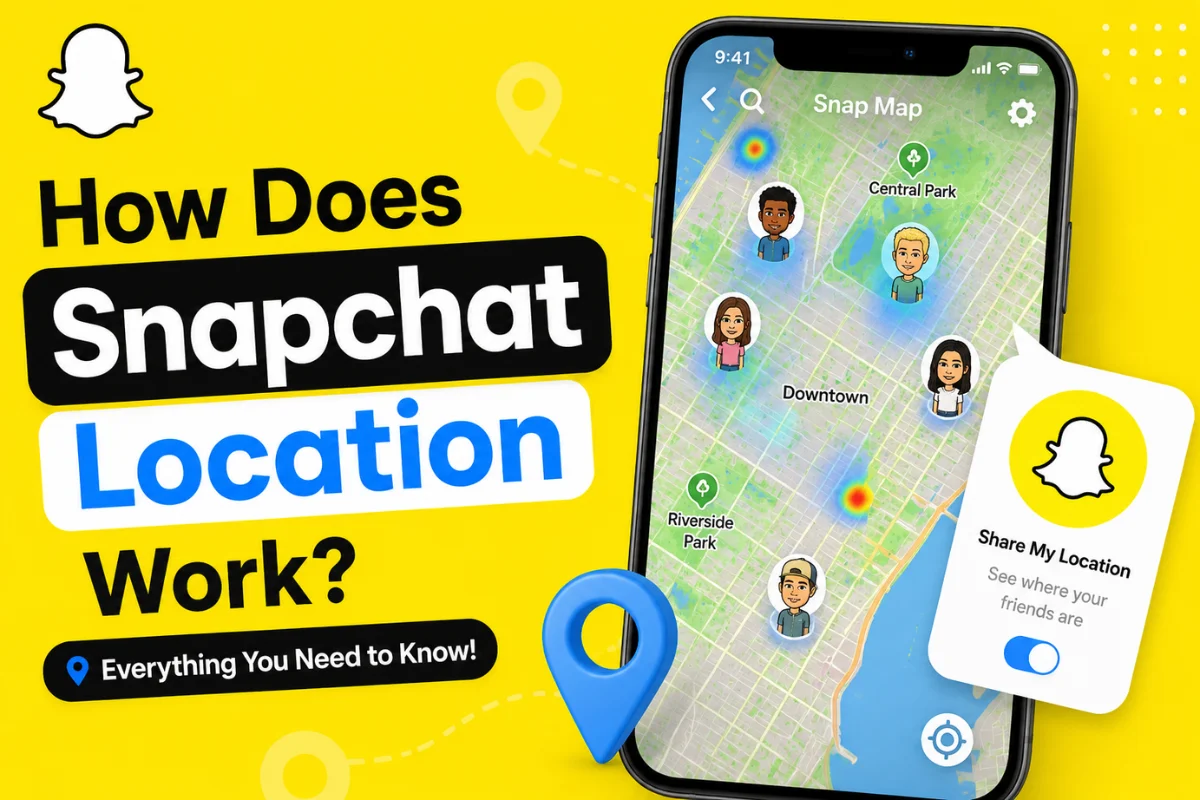
Snapchat location is a feature built into Snap Map. It uses your phone’s location services to determine where you are and can display your location to the Snapchat friends you choose.
Location sharing is turned off by default. You have to choose who can see your location before your friends can view it on Snap Map.
Your location is represented by your Bitmoji on the map. Depending on your settings, friends may be able to see your current or most recent location.
Snap Map also does more than show friends. You can use it to explore public Snaps, places, events, and other location-based content.
How Does Snapchat Location Work?
Snapchat uses the location information provided by your smartphone. This usually comes from your phone’s built-in location services, such as GPS and other available signals.
When you allow Snapchat to access your location, the app can use that information for Snap Map and other location-based features.
However, Snapchat location does not always work in exactly the same way for everyone.
Your phone’s permission settings are especially important.
For example, Snapchat currently supports location access such as “Only while using” and background/“Always” location sharing for selected friends and family.
Location Sharing While Using Snapchat
With “Only while using” permission, Snapchat can update your location while you are actively using the app.
If you close Snapchat, your location generally stops updating. Snap Map can continue showing your last location, but it won’t keep updating until you open Snapchat again.
This is useful if you want more control over when Snapchat can update your location.
Background Location Sharing
Snapchat also allows selected friends and family to receive your background location when you grant the required device permission.
With this option, your selected contacts can continue seeing your location even after you close Snapchat. This is designed for situations such as traveling home or letting someone know where you are while you’re on the move.
Because background location can provide more continuous information about where you are, Snapchat recommends sharing it only with people you trust.
How Often Does Snapchat Update Your Location?
There isn’t one simple update interval that applies to every Snapchat user.
The way your location updates depends on your device’s location permissions and whether you’re using Snapchat.
If your location access is set to Only while using, Snapchat updates your location while you use the app. After that, the location can remain visible as your last location, but it will eventually expire.
Snapchat says that with “Only while using” permissions, your Snap Map location expires after 24 hours.
With background location sharing enabled, Snapchat can continue updating your location for the friends or family members you selected, even when Snapchat is closed.
So, seeing someone’s Bitmoji in a particular location does not automatically mean they are physically there right now.
Can Someone See Your Location on Snapchat?
Only people you allow can see your location on Snap Map.
Snapchat currently provides several sharing options, including:
- My Friends
- My Friends, Except…
- Only These Friends…
- Ghost Mode
With “My Friends,” your location can be shared with the friends you have added back. You can also exclude specific people or choose only certain friends.
This gives you more control than simply sharing your location with everyone.
Does Someone Need to Be Your Friend?
For normal friend-to-friend location sharing, Snapchat requires mutual friendship. In other words, you and the other person generally need to have added each other back before you can share locations through Snap Map.
This helps prevent random Snapchat users from automatically tracking your location.
What Is Ghost Mode on Snapchat?
Ghost Mode is Snapchat’s privacy option for hiding your location from other people on Snap Map.
When Ghost Mode is enabled, your location won’t be visible to other Snapchat users on the Map. You can still see yourself on your own map.
To turn it on:
- Open Snapchat.
- Open Snap Map.
- Tap the gear icon.
- Turn on Ghost Mode.
- Choose how long you want it enabled.
Depending on the version of Snapchat you have, timer options can include 3 hours, 24 hours, or Until Turned Off.
One important detail is that Ghost Mode hides your location from other Snapchatters, but it doesn’t necessarily stop Snapchat itself from receiving location information if you’ve granted the app location permission.
Does Snapchat Location Turn Off When You Close the App?
Not necessarily.
This is one of the biggest points of confusion around Snapchat location.
If Snapchat has Only while using access, closing the app stops ongoing location updates. Your last location can remain on Snap Map and eventually expire after 24 hours.
If you’ve enabled background location sharing with selected people, however, Snapchat can continue updating your location even when the app isn’t open.
So, simply closing Snapchat isn’t always enough to stop location sharing.
What Does Snapchat Show on Snap Map?
Snap Map is not limited to your friends’ locations.
You can also see public content connected to places, events, and communities around the world.
Snapchat uses factors such as the recency and engagement of public Map content when deciding what appears in areas such as City Stories and popular places.
This means Snap Map has become more than a simple friend-location feature. It also works as a way to discover what’s happening around different locations.
Snapchat Location and New Map Features
Recent Snapchat updates have expanded the location experience beyond simply displaying a Bitmoji.
For example, Snapchat now includes features such as My Top Places, Visited Places, and Footsteps. Place Visits can be created through location information and activity involving places on Snapchat.
Snapchat says your My Top Places and Visited information is private to you and doesn’t change who can see your location on Snap Map.
Another newer feature is My Home, which allows you to set a home location on Snap Map. Friends with whom you share your location can see your home on the Map.
These additions make it even more important to review your location and privacy settings regularly.
Can You Completely Disable Snapchat Location?
You cannot completely disable Snap Map itself after you’ve set it up, according to Snapchat.
However, you can hide your location from other Snapchatters by turning on Ghost Mode.
You can also change Snapchat’s location permission from your phone’s settings.
For stronger privacy, review both:
- Snapchat’s Snap Map sharing settings
- Your phone’s location permission for Snapchat
Checking both is important because Ghost Mode and your device’s location permission control different aspects of location sharing.
How to Keep Your Snapchat Location Private
If you don’t want to share your location widely, consider these simple steps:
1. Use Ghost Mode
Turn on Ghost Mode when you don’t want friends to see your location.
2. Share With Selected Friends
Instead of sharing with everyone, choose Only These Friends.
3. Review Background Location
If you don’t need continuous location sharing, check your phone settings and avoid giving Snapchat unnecessary background access.
4. Check Your Map Settings Regularly
Snapchat’s features and settings can change over time. Reviewing your location settings occasionally helps make sure your current preferences still match what you want.
5. Be Careful With Public Snaps
Ghost Mode does not guarantee that every location-related piece of content disappears from Snap Map. Snapchat specifically warns that Snaps submitted to Snap Map may still appear regardless of your location-sharing setting.
Final Thoughts
So, how does Snapchat location work?
Snapchat uses your phone’s location services to power Snap Map. Your location can be shared with selected friends depending on your Snapchat and device permissions.
With “Only while using,” Snapchat generally updates your location while you’re using the app, and the displayed location expires after 24 hours. With background location sharing, selected people can receive ongoing location updates even when Snapchat is closed.
The safest approach is to share your location only with people you trust. If you don’t want others to see where you are, Ghost Mode is the simplest option.