How to Use Snapchat for Business: A Complete Guide
Snapchat is more than an app for sending photos and videos to friends. It is also a marketing platform that businesses can use to reach new customers, promote products, build brand awareness, and connect with younger audiences.
With features such as Stories, Spotlight, Public Profiles, and Snapchat Ads, businesses have several ways to share content and attract potential customers. Whether you run a small online store, a local business, or a growing brand, Snapchat can become a useful part of your digital marketing strategy.
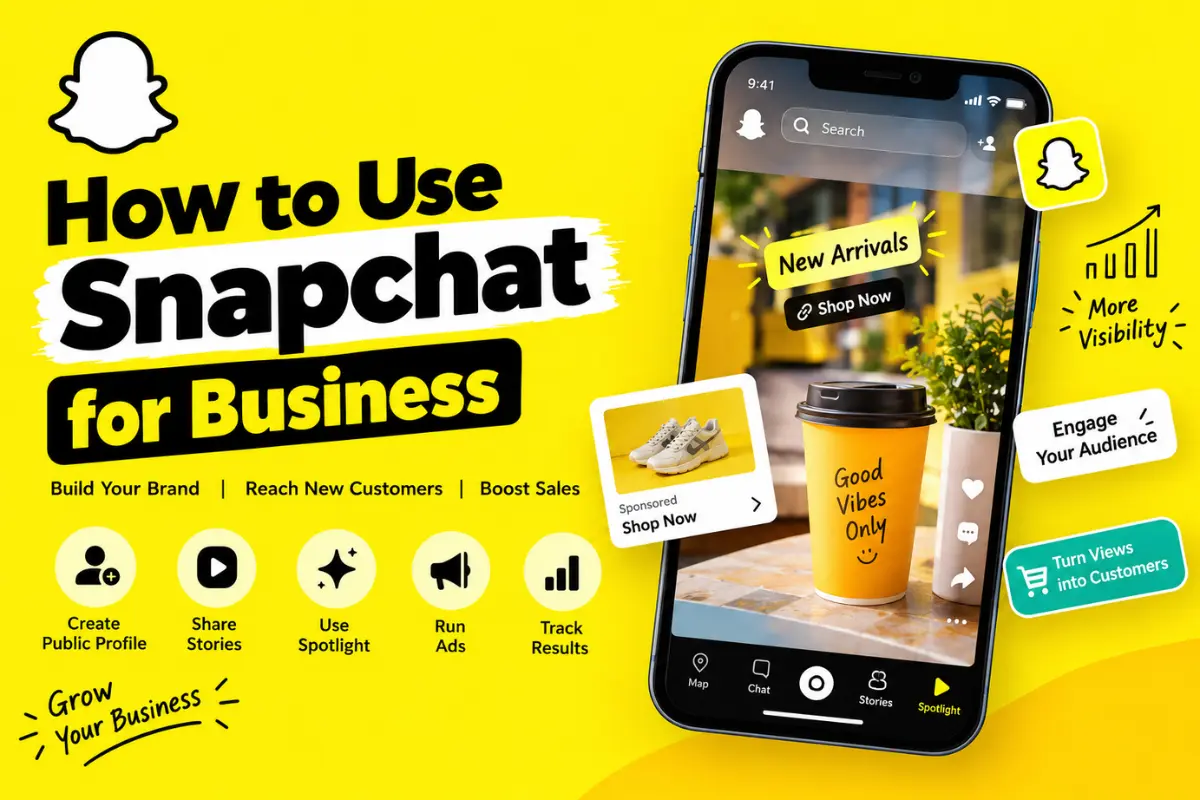
In this guide, you will learn how to use Snapchat for business, set up your profile, create engaging content, reach your target audience, and measure your results.
What Is Snapchat for Business?
Snapchat for Business refers to using Snapchat’s tools and features to promote a company, product, service, or personal brand. Businesses can create public content, interact with followers, run advertising campaigns, and analyze performance.
Snapchat is particularly useful for brands that want to reach Gen Z and younger millennial audiences. However, its value depends on your target customers, industry, location, and marketing goals.
For example, a clothing store can share new arrivals, a restaurant can post behind-the-scenes videos, and a beauty brand can demonstrate how to use its products.
The key is to create content that feels natural to Snapchat instead of simply reposting advertisements from other social media platforms.
How to Set Up Snapchat for Business
Before promoting your products or services, you need to create a professional presence on Snapchat.
1. Create a Snapchat Account
Download Snapchat from the official app store and create an account using your details. If you already have a personal account, you can explore the business tools available through Snapchat’s advertising platform.
Visit Snapchat for Business to access its advertising tools and business resources.
Choose a username that closely matches your business name. A recognizable username makes it easier for customers to find and remember your brand.
2. Create a Public Profile
A Public Profile gives your business a public-facing presence on Snapchat. Depending on your account and available features, it can display your business information, public Stories, saved content, and other details.
To get started, open your Snapchat profile and look for the option to create or manage a Public Profile.
Add a clear profile image, a short business description, and relevant information about your products or services. Keep your branding consistent with your website and other social media accounts.
3. Complete Your Business Information
Make it easy for people to understand what your business offers.
Include a concise description of your products, services, or brand purpose. If the relevant features are available, add links that direct visitors to your website, online store, or other useful resources.
A complete profile helps visitors decide whether your business is relevant to them.
Best Ways to Use Snapchat for Business
Once your profile is ready, focus on content that introduces your brand, helps customers, and encourages people to take action.
1. Share Stories Regularly
Stories are a simple way to keep your audience informed about your business. You can share new products, limited-time offers, customer feedback, or updates from your workplace.
For example, a bakery could post a short video of freshly prepared cakes. An online clothing store could show new outfits and explain their sizes, colors, and prices.
Keep your Stories short, clear, and visually appealing. Add captions when useful, especially when people may watch without sound.
2. Use Spotlight to Reach New People
Spotlight helps users discover short-form video content on Snapchat. Businesses can use it to share entertaining, informative, and creative videos that may reach people beyond their existing followers.
Try posting product demonstrations, quick tutorials, before-and-after clips, or answers to common customer questions.
Avoid making every video a direct sales pitch. Useful and entertaining content can give people a reason to watch, share, or follow your business.
3. Show Your Products in Action
Snapchat works well for visual demonstrations. Instead of simply showing a product photo, explain how the product works and what problem it solves.
A skincare brand might demonstrate a simple routine, while a technology store could show the main features of a new device.
Use natural lighting, clear video, and straightforward explanations. Authentic content can help customers understand what they are buying.
4. Work With Snapchat Creators
Creator partnerships can help your business reach an audience that already trusts a particular creator.
Look for creators whose content, audience, and style match your brand. A local restaurant, for example, might collaborate with a food creator who regularly reviews places in the same city.
Agree on the campaign goals, deliverables, deadlines, and payment before the collaboration begins. Track results such as profile visits, website clicks, inquiries, and sales rather than judging success by views alone.
5. Engage With Your Audience
Social media marketing is not just about publishing content. It also involves listening and responding.
Answer customer questions, respond to relevant messages, and use feedback to improve your products or services. If customers frequently ask about delivery, sizing, or pricing, create content that answers those questions.
Always respect privacy and avoid sending unsolicited promotional messages to people who have not expressed interest.
How to Advertise Your Business on Snapchat
Organic content can help build an audience, but paid advertising can provide additional reach and more targeted campaign options.
Snapchat Ads Manager is the main platform for creating and managing advertising campaigns.
Choose the Right Snapchat Ad Format

Single Image or Video Ads
Useful for introducing your brand, promoting an offer, or directing viewers to your website. These ads can appear in placements such as Stories and Spotlight.
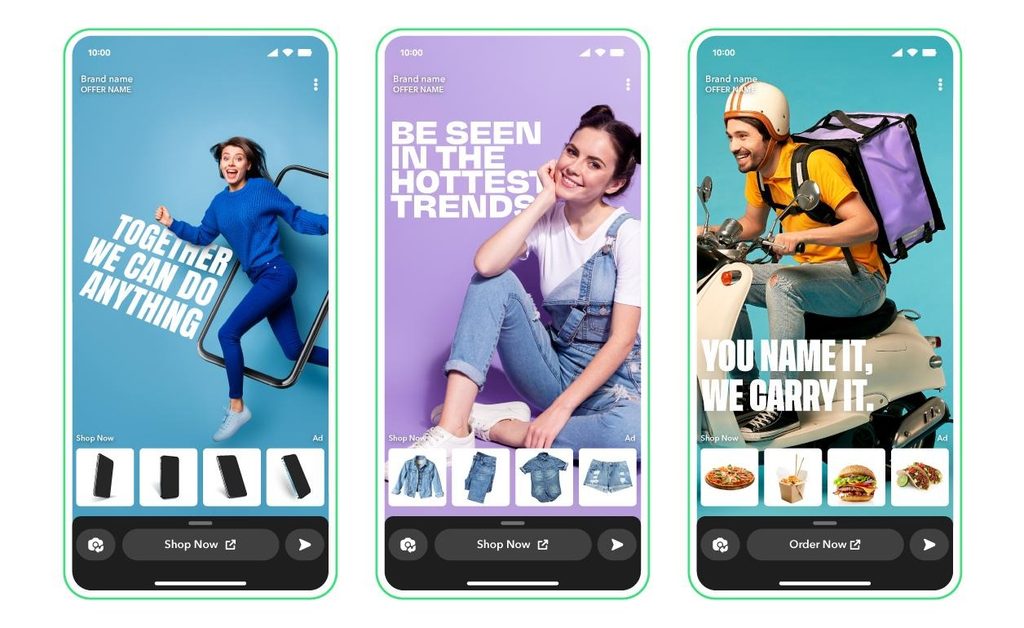
Story Ads
Present a series of images or videos to explain a product, highlight several benefits, or promote a collection.

Collection Ads
Let eligible advertisers showcase multiple products and link customers to shopping pages. They can be useful for online stores with several products.

AR Lenses
Give users an interactive experience with branded effects or augmented reality. They can be suitable for campaigns focused on participation and brand awareness.
These formats are listed in Snapchat’s official advertising resources, although availability and requirements can vary by campaign and market.
Set a Clear Advertising Goal
Before launching an ad, decide what you want to achieve. Your goal might be more website visits, product sales, app installs, customer inquiries, or brand awareness.
Choose a campaign objective that matches that goal. Then define your target audience, location, budget, and campaign duration.
Start with a manageable test budget. Compare different creative approaches and audiences before increasing spending.
Create Mobile-Friendly Ads
Snapchat is built around a full-screen, vertical mobile experience. Your ads should be designed for that format.
Use a strong opening, show the product early, and keep the message easy to understand. Include a clear call to action, such as “Shop Now,” “Learn More,” or “Sign Up,” depending on your campaign.
Snapchat’s official ad specifications generally recommend a 9:16 vertical format for many placements. Check the requirements for your selected ad type before publishing.
Latest Snapchat Business Features and Updates in 2026
Snapchat’s business tools continue to develop, particularly in advertising, creator partnerships, and shopping experiences.
AI-Powered Advertising Tools
In June 2026, Snap announced new AI-powered advertising capabilities, including tools designed to help advertisers plan campaigns, develop creative assets, and improve ad optimization. These include its Snap Smart Assistant and AI-assisted creative features.
For businesses, these developments may make it easier to test different ad ideas without producing every creative asset from scratch. However, review AI-generated content carefully to ensure that product details, claims, and branding remain accurate.
AI Sponsored Snaps
In April 2026, Snap announced AI Sponsored Snaps, a conversational advertising format that allows users to interact with brands through AI-powered experiences in Chat. The initial announcement described an alpha launch with Experian.
This development points toward more interactive advertising, where customers can ask questions and explore recommendations instead of only viewing a traditional ad. Availability may be limited, so check Snapchat’s current business resources before planning a campaign around it.
Better Creator and Campaign Management
Snapchat has also continued developing its business and agency tools. In July 2026, the company announced Business Manager enhancements intended to improve collaboration between brands and advertising agencies.
If you work with a marketing agency or multiple team members, review the account permissions available to your business. Give each person only the access they need to perform their role.
How to Measure Your Snapchat Business Results
Posting regularly is useful, but you also need to understand whether your content is helping your business.
Snapchat provides Public Profile Insights and advertising reporting tools, although the metrics available depend on your account and content type.
Monitor these important measurements:
- Views: How many times people viewed your content.
- Reach and viewers: How many people your content reached, where the relevant metrics are available.
- Engagement: Replies, shares, favorites, and other interactions.
- Website clicks: How many people visited your website through a campaign.
- Conversions: Purchases, registrations, inquiries, or other actions that matter to your business.
- Advertising cost: How much you spend to achieve a desired result.
Snapchat’s Public Profile Insights include content performance information, audience insights, and summaries covering recent periods. Spotlight analytics can also show metrics such as views, shares, clicks, and average viewing time.
Review these numbers weekly or monthly. If tutorial videos attract more engagement than product announcements, consider creating more educational content. If an ad receives clicks but few sales, investigate the landing page, pricing, and checkout process.
Common Snapchat Marketing Mistakes to Avoid
Businesses can waste time and money when they approach Snapchat without a clear plan.
Avoid these common mistakes:
- Posting only promotional messages without offering useful content.
- Using videos that look poor on mobile screens.
- Ignoring customer questions and feedback.
- Targeting audiences that are unlikely to buy your products.
- Spending heavily on ads before testing creative ideas.
- Measuring success through views alone.
- Making unsupported claims about products or services.
Consistency matters, but quality and relevance are more important than posting constantly. Develop a schedule that your business can realistically maintain.
Final Thoughts
Learning how to use Snapchat for business can help you build brand awareness, connect with potential customers, and promote your products through engaging visual content.
Start by creating a professional Public Profile, publishing useful Stories, experimenting with Spotlight, and responding to your audience. When you are ready to invest in paid marketing, use Snapchat Ads Manager to test suitable ad formats and track measurable results.
Keep an eye on newer tools such as AI-assisted advertising and interactive Sponsored Snaps, but choose features based on your business goals rather than trends alone.
The most effective Snapchat strategy combines authentic content, consistent engagement, careful advertising, and regular performance reviews.