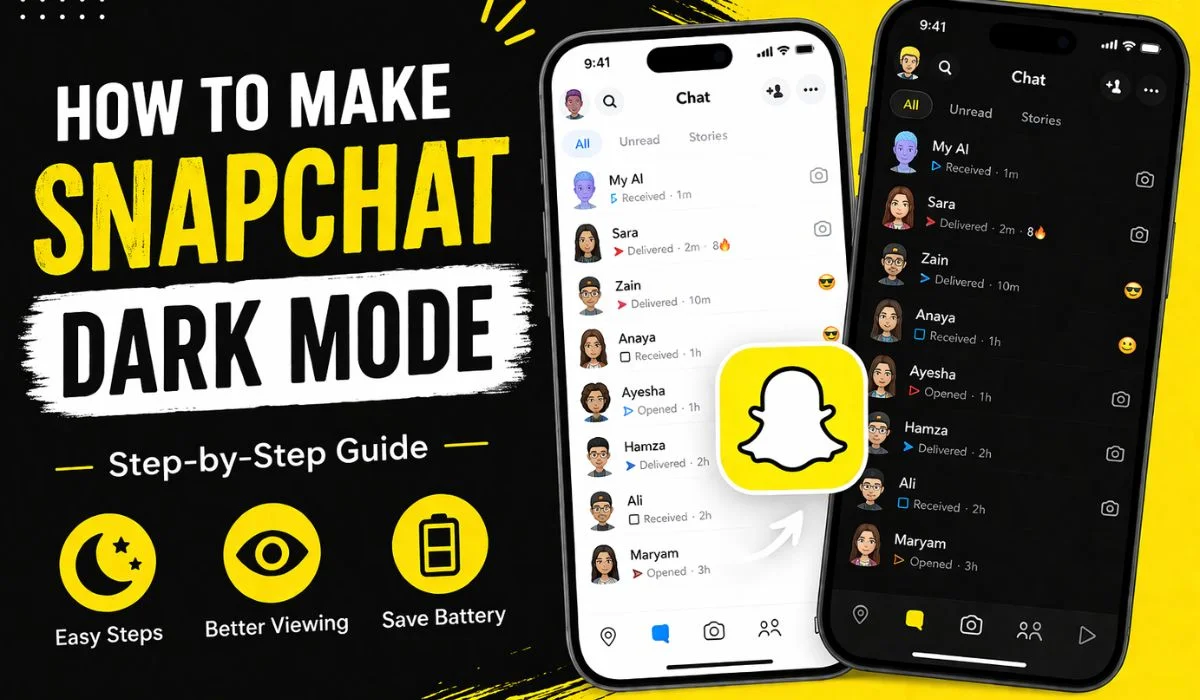
How to Make Snapchat Dark Mode
If you spend a lot of time on Snapchat, switching to dark mode can make a huge difference. It reduces eye strain, saves battery (especially on OLED screens), and simply looks more modern. But here’s the catch—Snapchat doesn’t offer the same dark mode settings on all devices, which can be confusing.
In this complete guide, you’ll learn how to enable Snapchat dark mode on Android and iPhone, along with workarounds, tips, and common issues.
What Is Snapchat Dark Mode?
Dark mode is a display setting that changes the app’s background from bright white to a darker shade (usually black or dark gray). This helps:
- Reduce eye fatigue at night
- Improve battery life
- Make the app easier to use in low light
Many apps like Instagram and WhatsApp support dark mode, but Snapchat has limited availability depending on your device.
How to Enable Snapchat Dark Mode on iPhone (iOS)
If you’re using an iPhone, you’re in luck—Snapchat officially supports dark mode on iOS.
Step-by-Step Guide
Follow these steps:
- Open Snapchat
- Tap your Bitmoji/Profile icon (top-left corner)
- Tap the Settings icon (⚙️) in the top-right
- Scroll down and find “App Appearance”
- Tap it and choose:
- Always Dark → Enables dark mode permanently
- Match System → Follows your iPhone’s theme
That’s it—your Snapchat will instantly switch to dark mode.
How to Enable Snapchat Dark Mode on Android
Here’s where things get tricky. Snapchat has been slow to roll out dark mode for Android users, and it’s not available on all devices yet.
Method 1: Check if You Have Native Dark Mode
- Open Snapchat
- Tap your profile icon
- Go to Settings
- Look for “App Appearance”
👉 If you see it, follow the same steps as iPhone.
👉 If you don’t see it, move to the workaround below.
Method 2: Force Dark Mode (Android Workaround)
If Snapchat doesn’t show dark mode, you can try forcing it through your phone settings.
Steps:
- Open Settings on your Android phone
- Go to Display
- Enable Dark Mode
- Go to Developer Options (if enabled)
- Turn on “Override Force Dark”
⚠️ Important Note:
- This may not work perfectly
- Some UI elements may look broken
- Not all devices support this feature
Method 3: Use Third-Party Apps (Not Recommended)
Some apps claim to enable Snapchat dark mode, but you should be cautious.
Why avoid them?
- Risk of account ban
- Privacy concerns
- Unstable performance
Snapchat does not officially support third-party modifications.
Why Snapchat Dark Mode Is Not Available for Everyone
Snapchat rolls out features gradually. Reasons you might not have dark mode include:
- Your app is not updated
- Your device is not supported
- Feature testing (A/B testing)
- Regional rollout differences
👉 Make sure to update the app regularly from Google Play Store or App Store.
Benefits of Using Dark Mode on Snapchat
1. Reduces Eye Strain
Dark backgrounds are easier on the eyes, especially at night.
2. Saves Battery
On OLED screens, dark pixels use less power.
3. Better User Experience
Many users simply prefer the look and feel of dark mode.
Common Problems and Fixes
❌ “App Appearance” Option Missing
✔️ Update Snapchat
✔️ Restart your phone
✔️ Wait for feature rollout
❌ Dark Mode Not Applying Properly
✔️ Disable and re-enable the setting
✔️ Clear app cache
✔️ Reinstall the app
❌ Force Dark Mode Looks Glitched
✔️ Turn it off—it’s not officially supported
Tips for Best Dark Mode Experience
- Use “Match System” on iPhone for automatic switching
- Keep your app updated
- Avoid unofficial apps
- Use system-wide dark mode for consistency
Snapchat Dark Mode vs Light Mode
| Feature | Dark Mode | Light Mode |
| Eye Comfort | High | Low |
| Battery Usage | Lower (OLED) | Higher |
| Visibility (Day) | Medium | High |
| Style | Modern | Classic |
Will Snapchat Release Dark Mode for All Android Users?
Yes, but slowly. Snapchat has already started rolling it out to some Android users. Over time, it’s expected to become available for everyone.
Final Thoughts
Getting dark mode on Snapchat depends mainly on your device. iPhone users have it easy with built-in support, while Android users may need to wait or try limited workarounds.
If you don’t see the option yet, don’t worry—it’s likely coming soon. Until then, keep your app updated and avoid risky third-party solutions.
FAQs
1. Why don’t I have dark mode on Snapchat?
Because it hasn’t been rolled out to your device yet or your app is outdated.
2. Is dark mode available on all iPhones?
Yes, most iPhones support it through Snapchat settings.
3. Can I force dark mode safely?
Only through system settings—but results may vary.
4. Does dark mode save battery?
Yes, especially on OLED screens.